Article
Source
Doc
| Category | GMC |
|---|---|
| Type | Doc |
| Last Modified | 1 April 2025 |
| Location | Guides, SOPs & Policies (GMC) > Client Guides |
Adding Google Merchant Center to Shopify
From FAQ-Off, the Calibre9 knowledge base

How to add Google Merchant
Guide
1 | Log in to your company Shopify account Go to your Shopify admin channel > Select "Channels” > Add sale channels > select "Google & Youtube" | 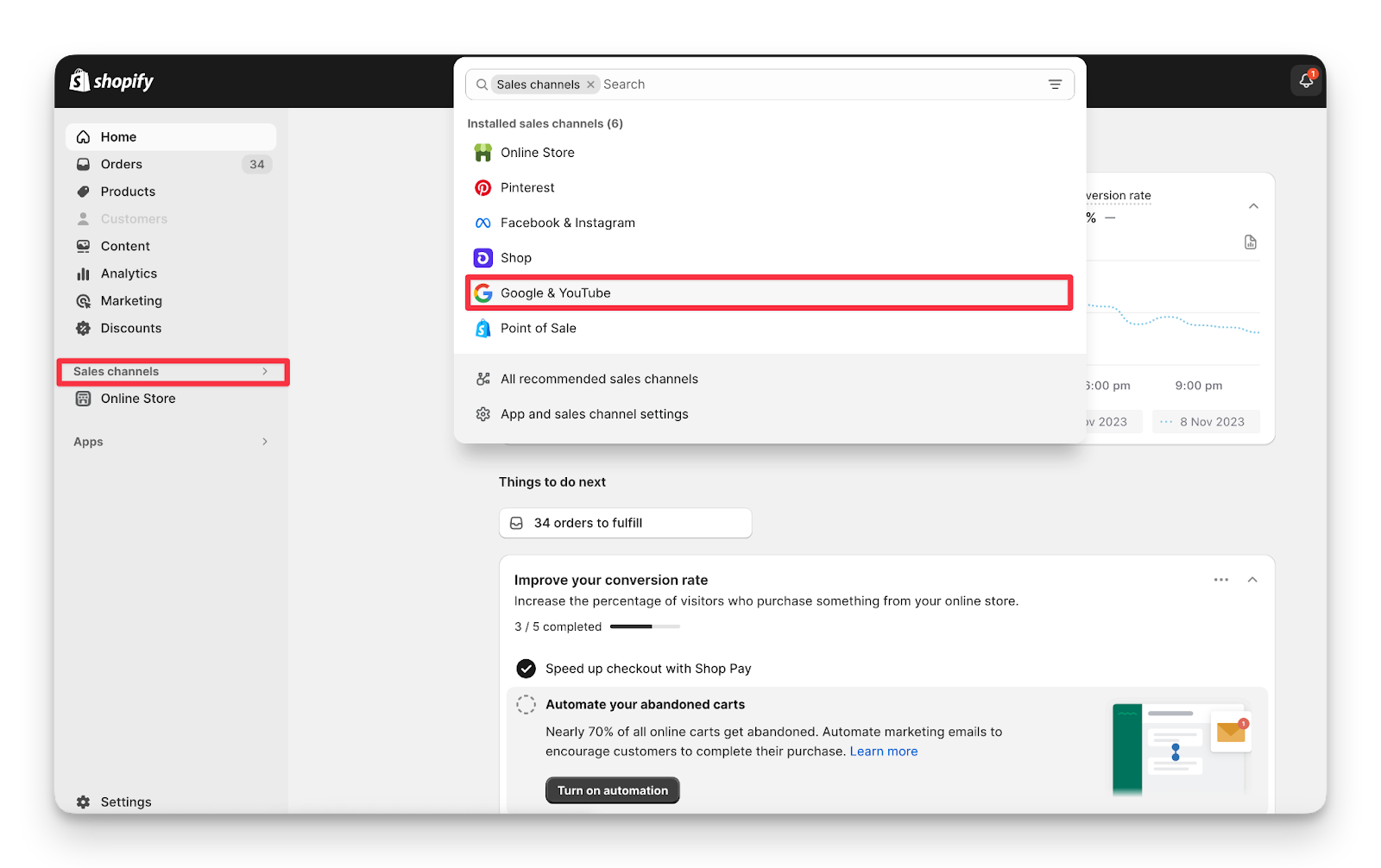 |
|---|---|---|
2 | Connect your Google account (ensure it’s the same email you used to create your GMC account) | 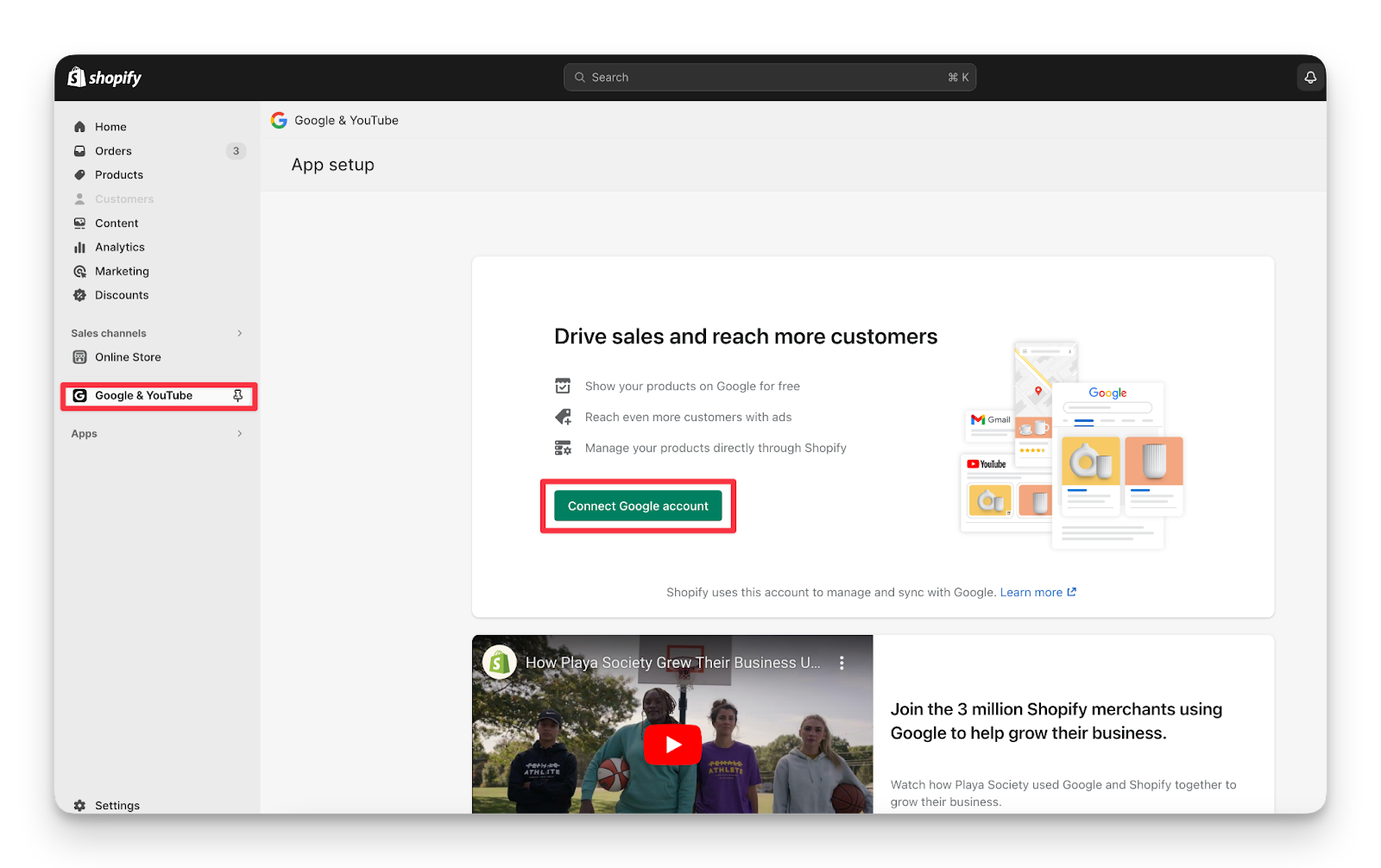 |
3 | Ensure you have completed this checklist | 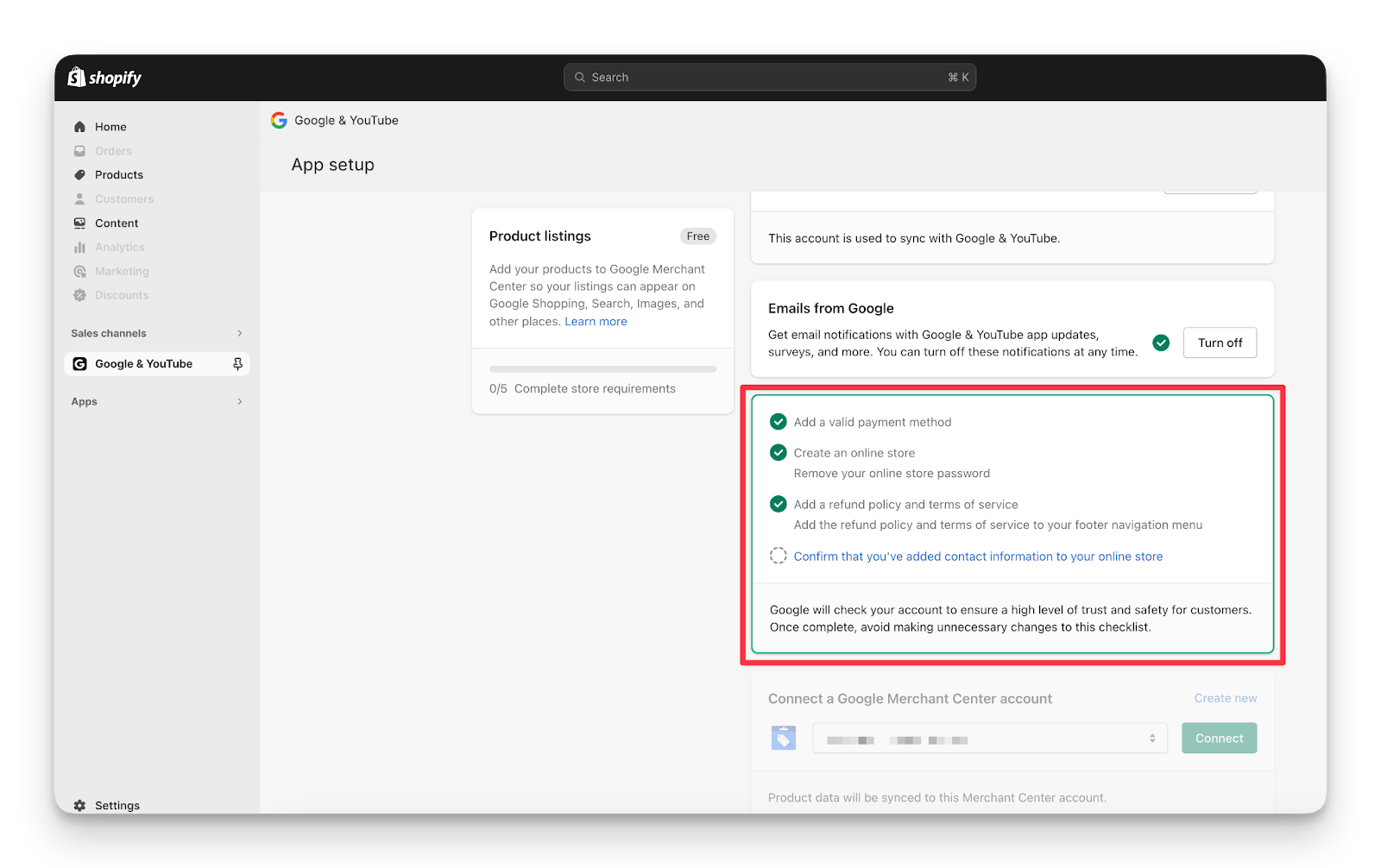 |
4 | Click Connect Google Merchant Center
Review and optimise your product data Upload your product feed to Google Merchant Center & also it can be sync Review and submit your products for approval | 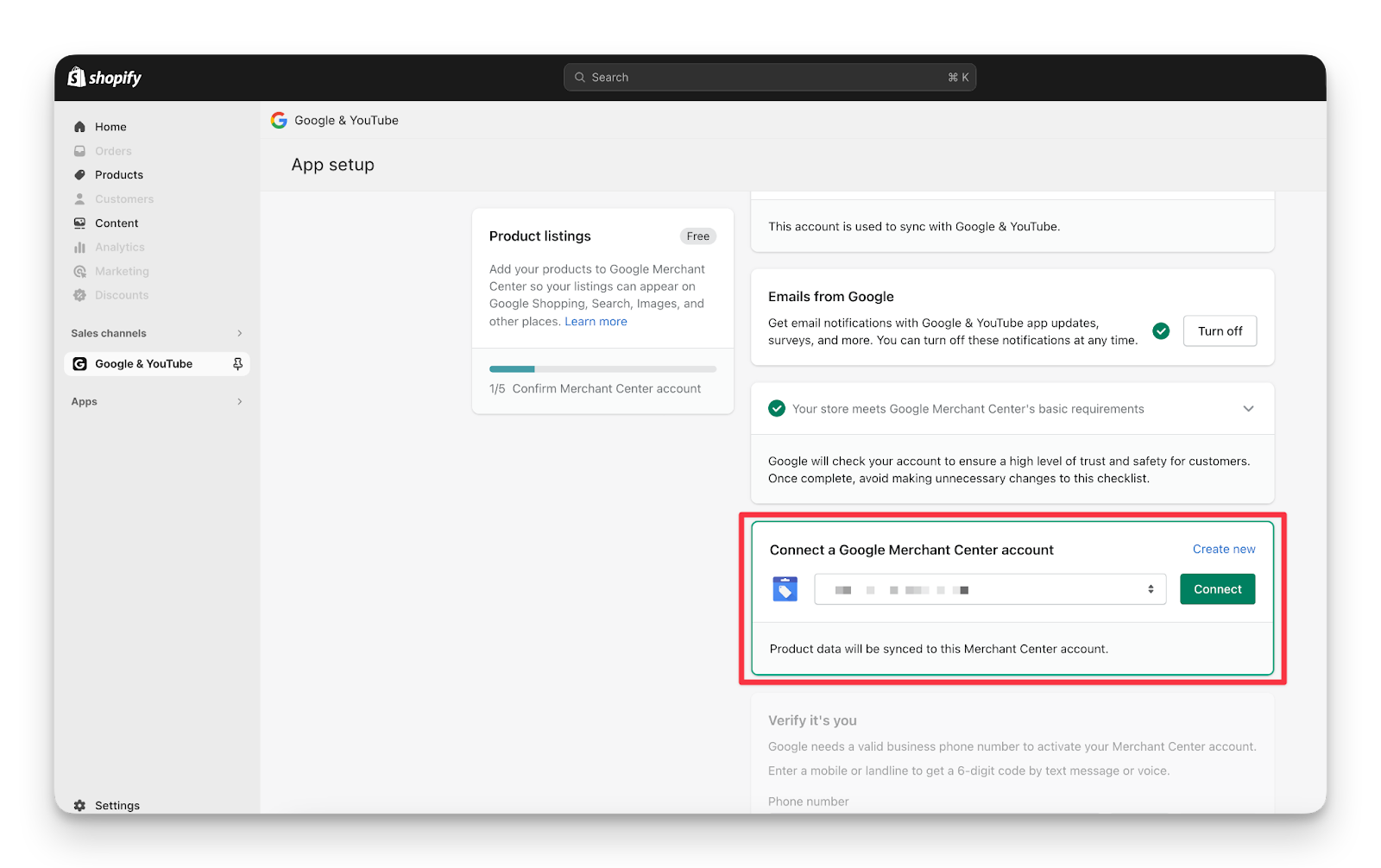 |
5 | All done! Your Google Merchant Centre account is now integrated with Shopify and ready for a GMC campaign to begin. |
Categories:
GMC
Guides, SOPs & Policies (GMC)