Article
Source
Doc
| Category | GMC |
|---|---|
| Type | Doc |
| Last Modified | 20 March 2025 |
| Location | Guides, SOPs & Policies (GMC) > Client Guides |
Adding Agency to Google Merchant Center
From FAQ-Off, the Calibre9 knowledge base

How to add your SEO Agency to
Google Merchant Center (GMC)
Guide
1 | Log in to your company Google account Navigate to https://merchants.google.com
Click the Gear icon in the top-right of your dashboard | 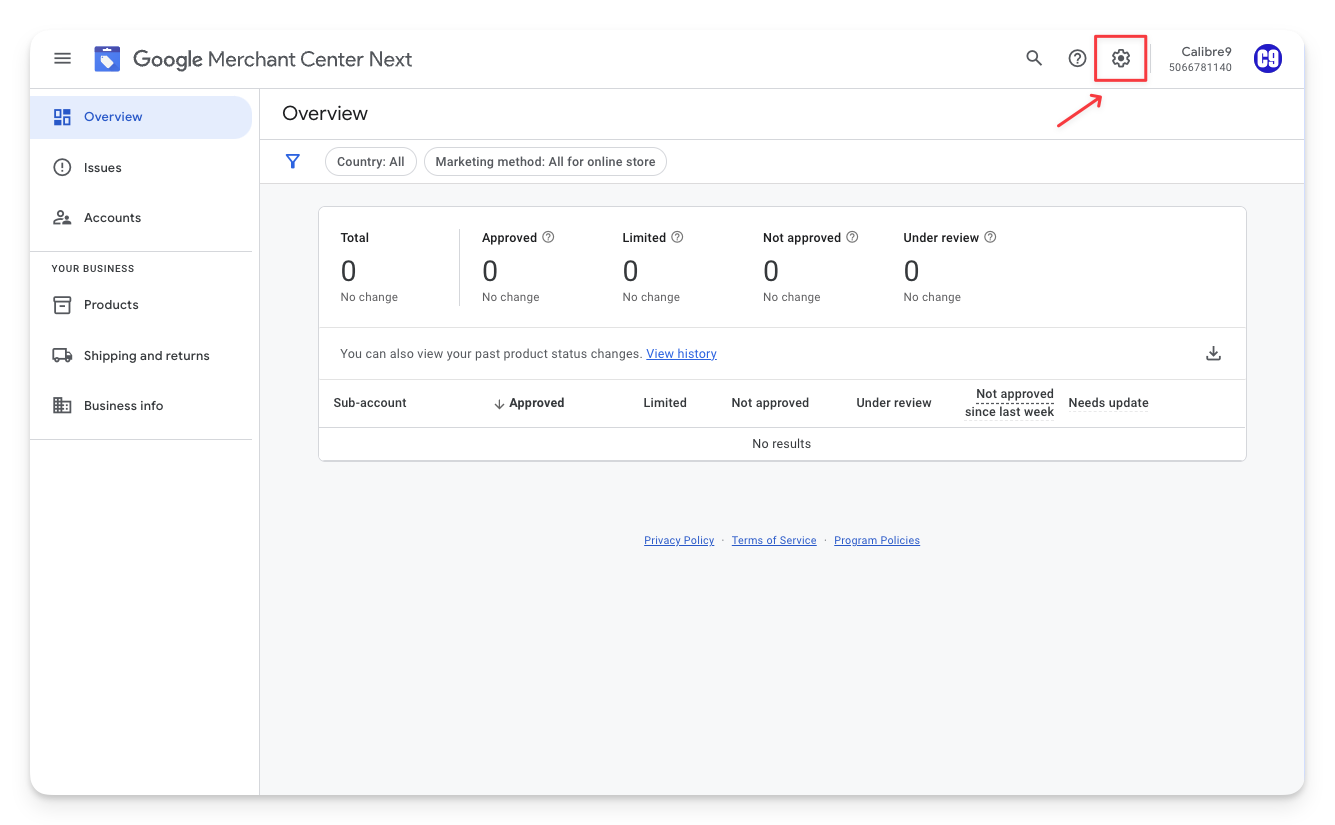 |
|---|---|---|
2 | Click People and access | 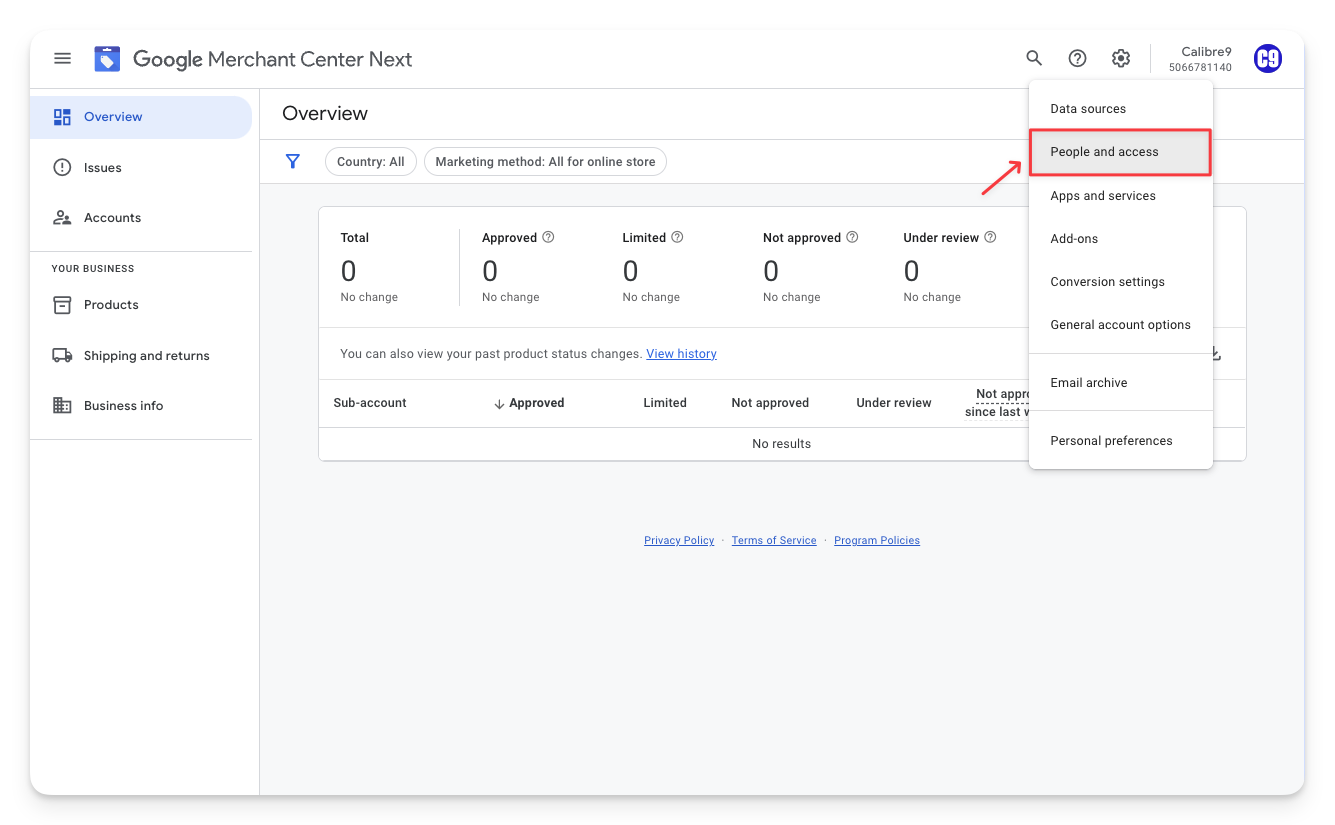 |
3 | Select Add person under the People option | 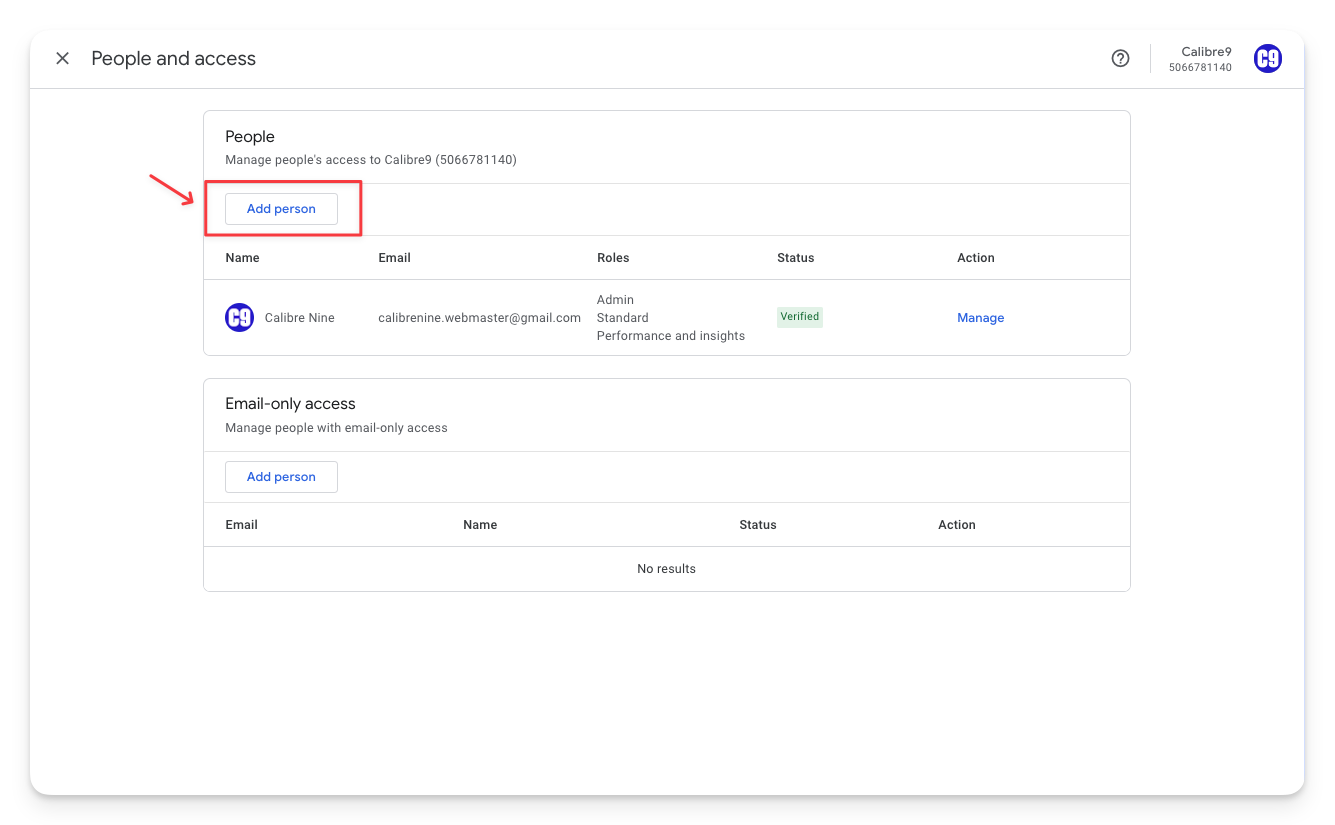 |
4 | Enter our email address: calibrenine.webmaster@gmail.com And select Next.
| 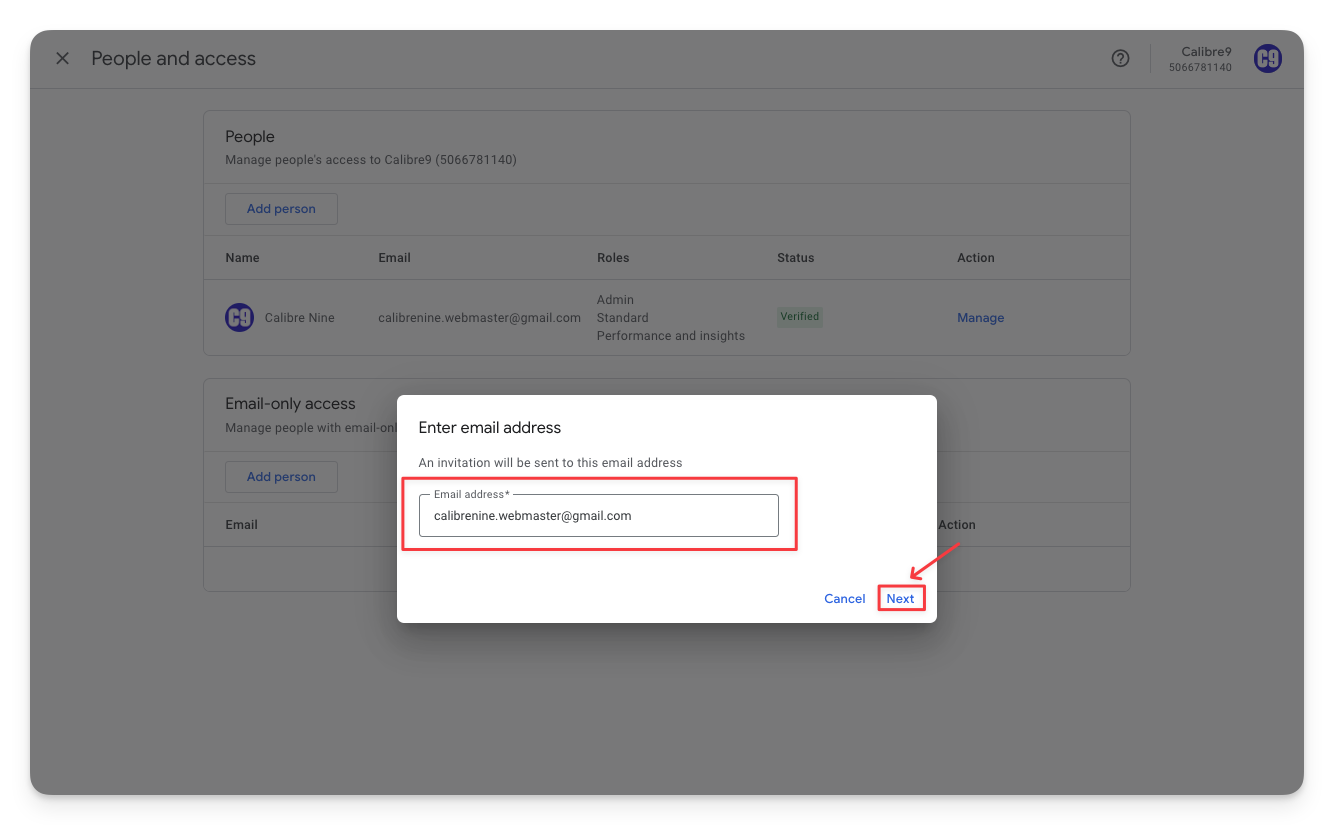 |
5 | Ensure to provide us with Admin access. And click Add user. An invitation will have been sent to us to accept. Please ensure to notify us when finished. | 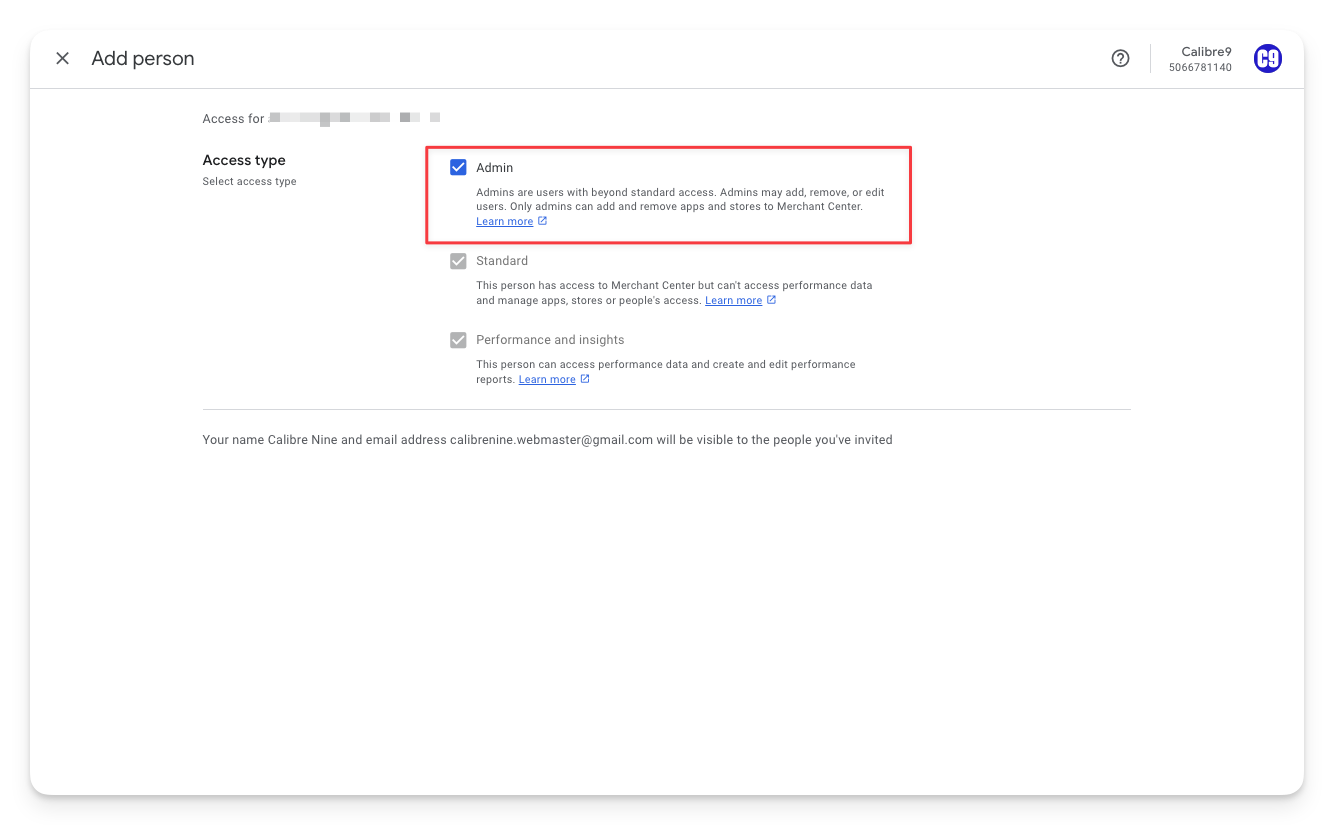 |
6 | Your agency has now been added to your Google Merchant Centre account. |
Categories:
GMC
Guides, SOPs & Policies (GMC)