| Category | GMC |
|---|---|
| Type | Doc |
| Last Modified | 30 July 2025 |
| Location | Guides, SOPs & Policies (GMC) > Client Guides |
Shopify Product Page Missing Fields Guide | JUL 2025
Last Updated: 15 July 2025
INTRODUCTION
Google is increasingly refining search results to resemble a category page experience, which highlights the growing importance of optimising product pages for eCommerce SEO. With ongoing updates to Merchant Center—and more anticipated—Google is pushing to ensure that product information is consistently aligned across product page data, schemas, and merchant listing data feeds.
Ensuring these elements are properly filled out allows Google to better filter and display your products in search results (both SERPs and the Shopping tab). The more detailed and accurate the product information, the better Google can leverage features like Popular Product Grids, Product Knowledge Panels, Compare Stores, People Also Buy From, and others to showcase your offerings.
This will be especially useful for the Product Page and Feed Mapping tasks of your Merchant Center campaign process. This will help us set up your feed rules within your DataFeedWatch for success, producing and future-proofing optimised listings for your products considering the following fields are filled out within your Shopify product settings.
CLIENT ACTION:
We recommend completing the following fields within the Shopify Product settings to facilitate a smoother integration with Merchant Center and to support effective data extraction for optimisation and automatic feed mapping. Expand each SECTION to reveal details.
MPNs & GTINs (REQUIRED)
When integrating your Shopify store with Google Merchant Center, accurately submitting the Manufacturer Part Number (MPN) and GTIN (Global Trade Item Number) is crucial. Google uses the MPNs to uniquely identify a specific product among all products from the same manufacturer and GTINs to identify the specific product/product variant that is sold by different retailers.
- MPN (Manufacturer Part Number): This is the manufacturer's unique code for a product. It is often the same as the product SKU (Stock Keeping Unit).
- GTIN (Global Trade Item Number): This is the product’s unique identifier, commonly found as the barcode.
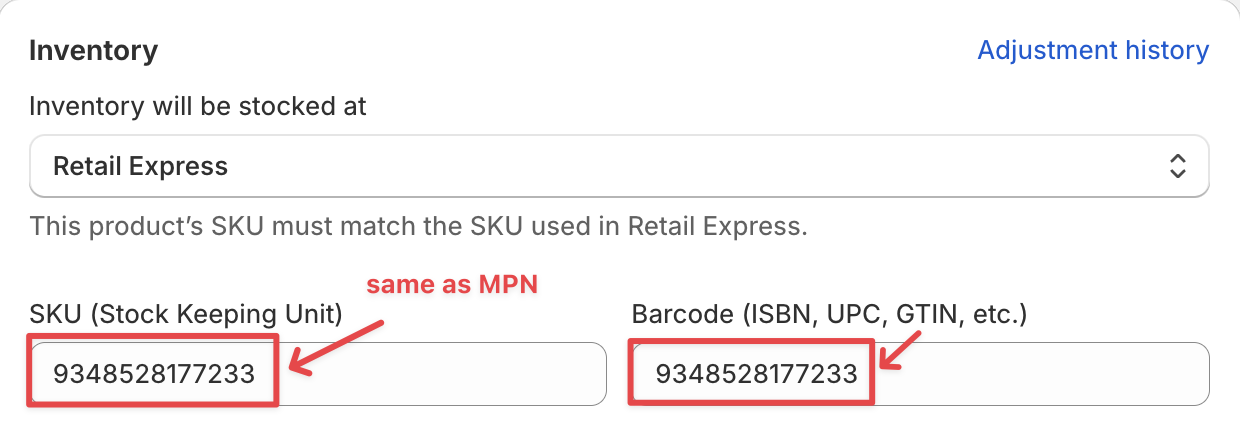
View: Shopify Product Settings
🚨Missing or incorrect MPNs and GTINs can result in product disapprovals or limited visibility in Google search and Merchant Center.
Please complete this as soon as possible to avoid issues. Let us know if you need help.
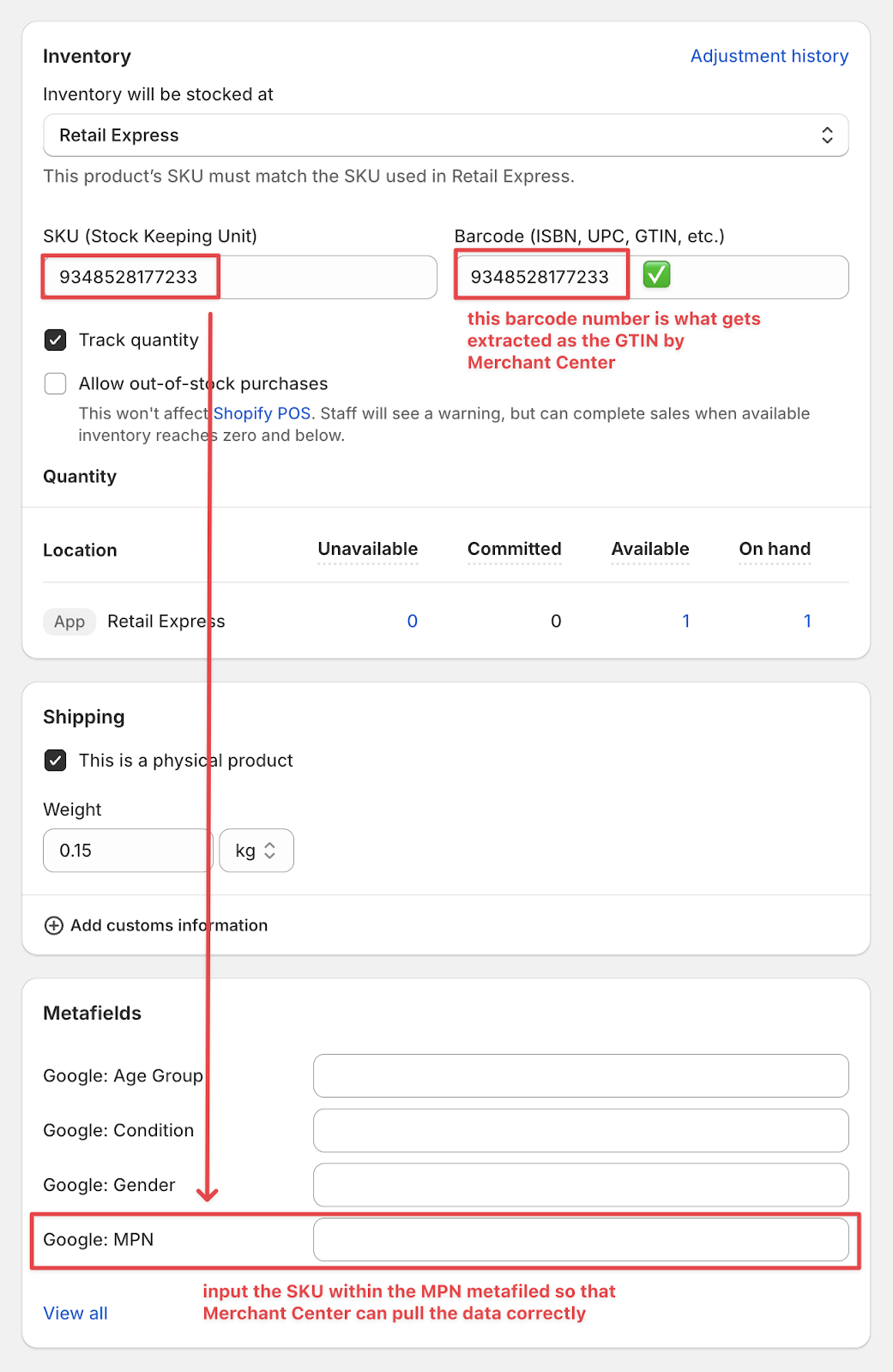
View: Shopify Product Settings
What You Need to Do:
|
|---|
This affects your brand’s ability to be displayed as a retailer within shared product knowledge panels.
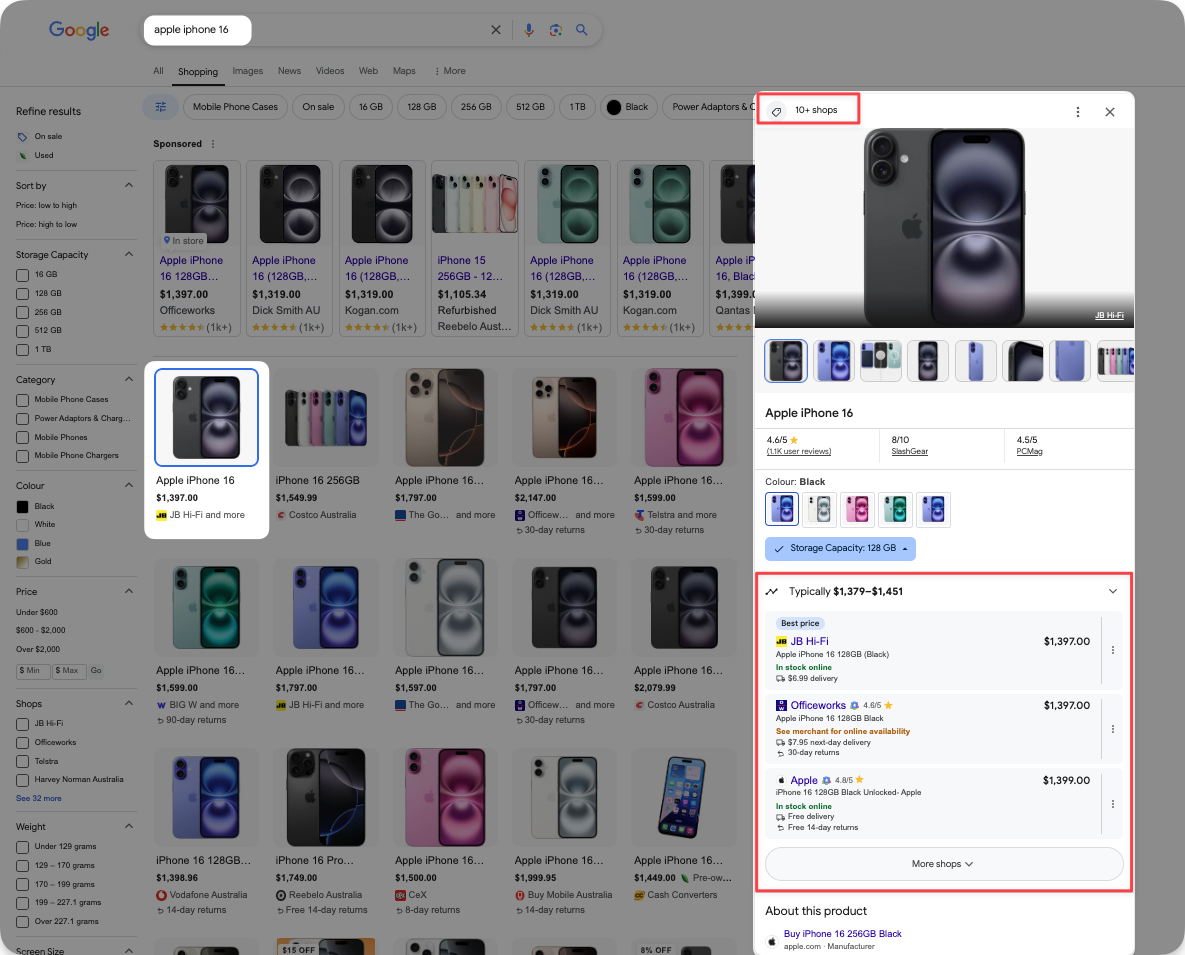
GOOGLE VARIANT METAFIELDS (OPTIONAL)
We also recommend filling out the following default Google Variant Metafields where applicable and choosing from the provided acceptable options from Google below:
- Age Group (options: adult, infant, kids, newborn, toddler)
- Condition (options: new, refurbished, used)
- Gender (options: female, male, unisex)
- Size Type (options: big, maternity, petite, plus, regular, tall)
- Size System (ex. “AU”, “US”, “EU”, “UK” – important to note which one especially if you have varying size systems for shoes vs. clothes, etc.)
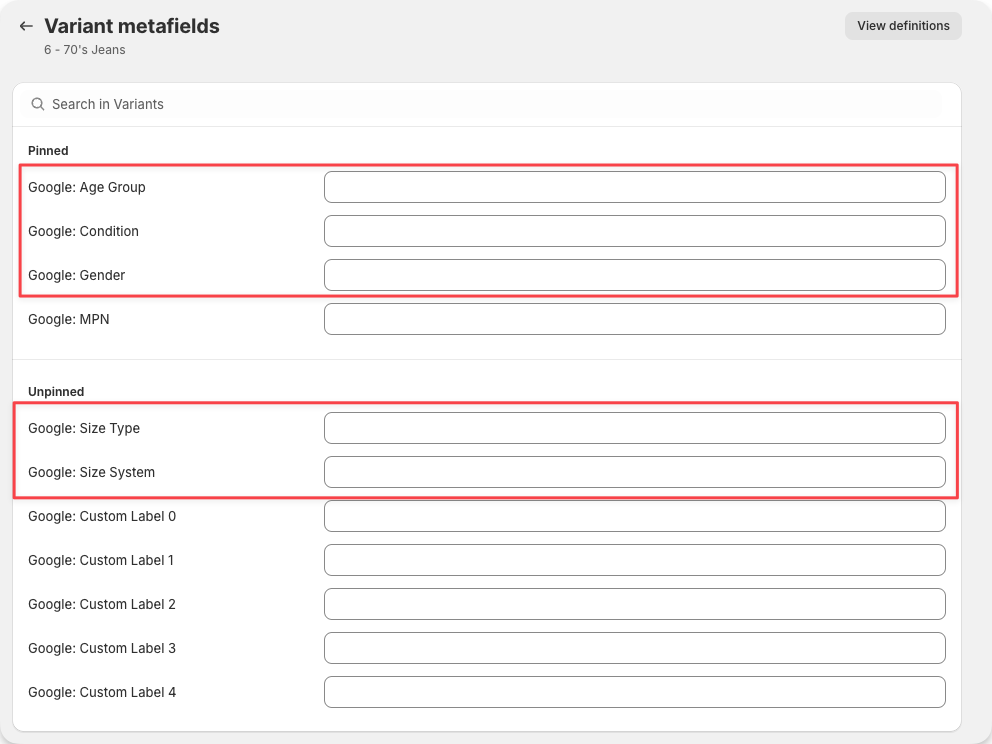
View: Shopify Product Settings
What You Need to Do:
|
|---|
PRODUCT CATEGORY & CATEGORY METAFIELDS (OPTIONAL)
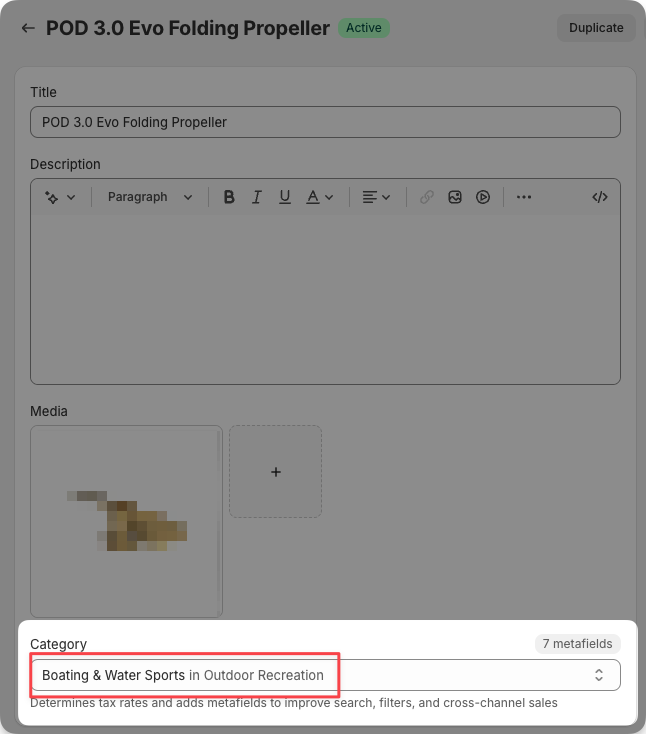
The Shopify Product Category translates to the Google product category attribute (Google product taxonomy) which is used to categorise your products to improve the targeting and delivery of your Merchant listings.
We recommend selecting the relevant categories for your product. Once you have selected this, you will be able to complete the Category Metafields for each.
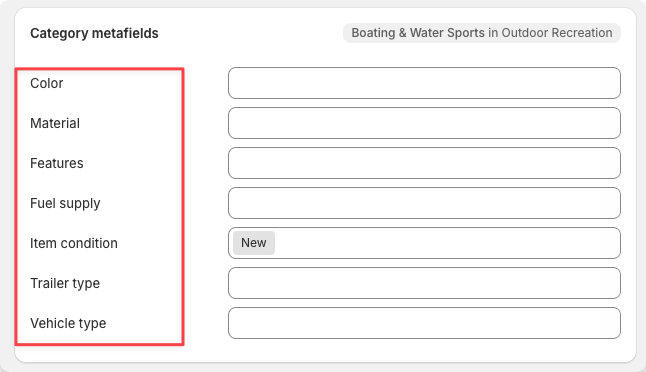
It’s important to note that these meta fields vary depending on the selected category.
For example, a moisturiser product would be classified under Lotions & Moisturizers in Skin Care and the Category Metafields would be as follows: | This would be different to for example, a boat propeller which would be classified under Boating & Water Sports in Outdoor Recreation whose Category Metafields would be as follows: |
|---|---|
  |   |
While some of this will be addressed in the campaign’s Product Page Mapping tasks, we recommend clients complete this section to the best of their ability. You have the most in-depth knowledge of your products’ additional details. We recommend keeping this top of mind, especially for new items being added to Shopify.
What You Need to Do:
|
|---|
This affects the way your product details are displayed within the Product Knowledge Panels.
