Article
Source
Doc
| Category | GMC |
|---|---|
| Type | Doc |
| Last Modified | 20 March 2025 |
| Location | Guides, SOPs & Policies (GMC) > Client Guides |
Adding Agency to DataFeedWatch (MCC/Shop Transfer)
From FAQ-Off, the Calibre9 knowledge base

How to add Agency to DataFeedWatch
(MCC Account)
There are currently two methods to grant Calibre9 MCC account access, and you may choose to proceed with either way:
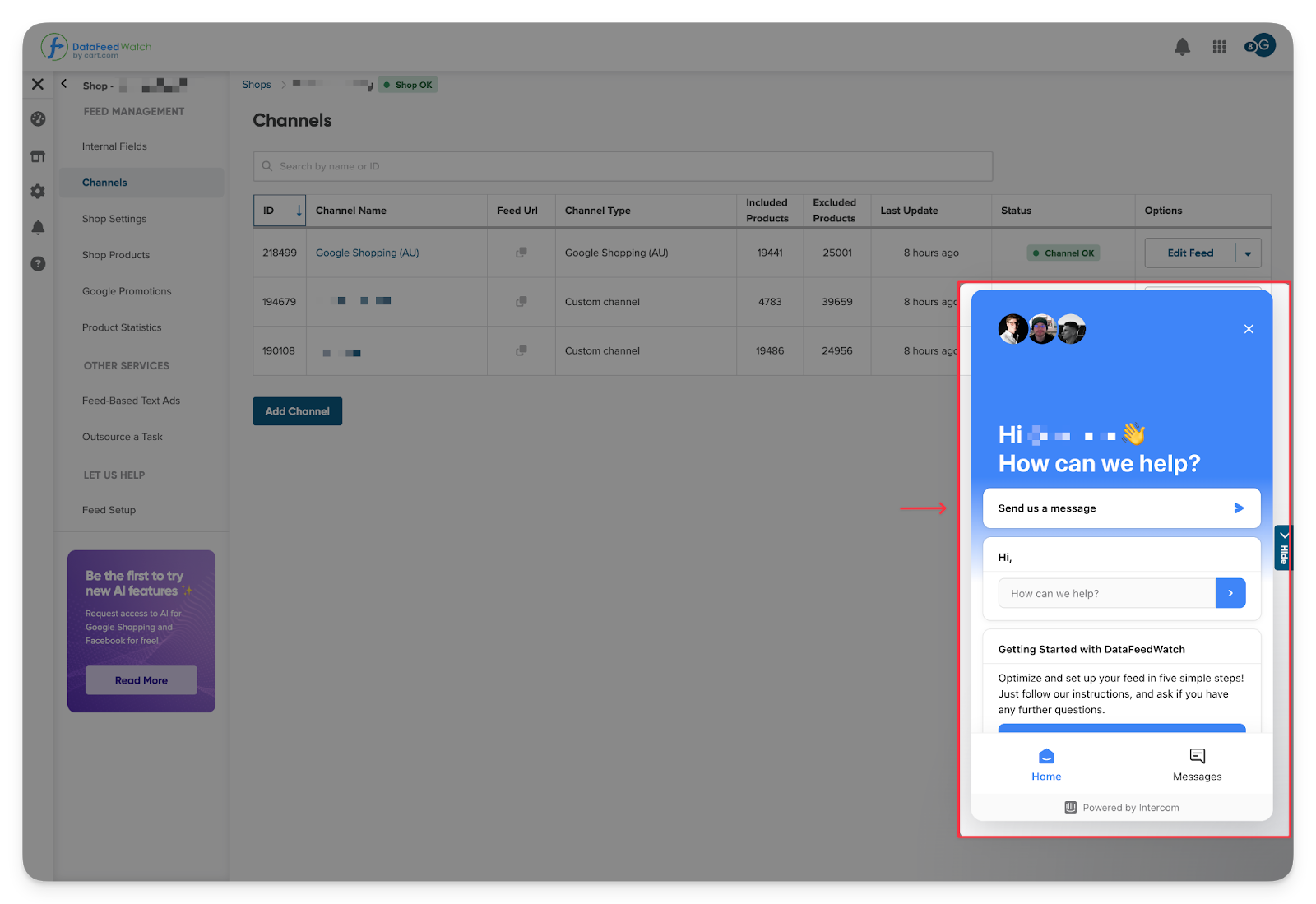
Via Live Chat Support:
- Log into your DataFeedWatch account.
- Click Contact Support on the right-hand side of your dashboard.
- Request MCC account access for tech@calibrenine.com.au.
Via Email:
- Send an email to support@datafeedwatch.com from your primary account email address (this must be the account owner’s email).
- Request MCC account access for tech@calibrenine.com.au.
How to add Agency to DataFeedWatch
(Shop Transfer)
1 | Log in to your company DataFeedWatch account. Navigate to Shops in the left menu. Select the Shop you wish to give us access to and click on Shop Settings from the options. | 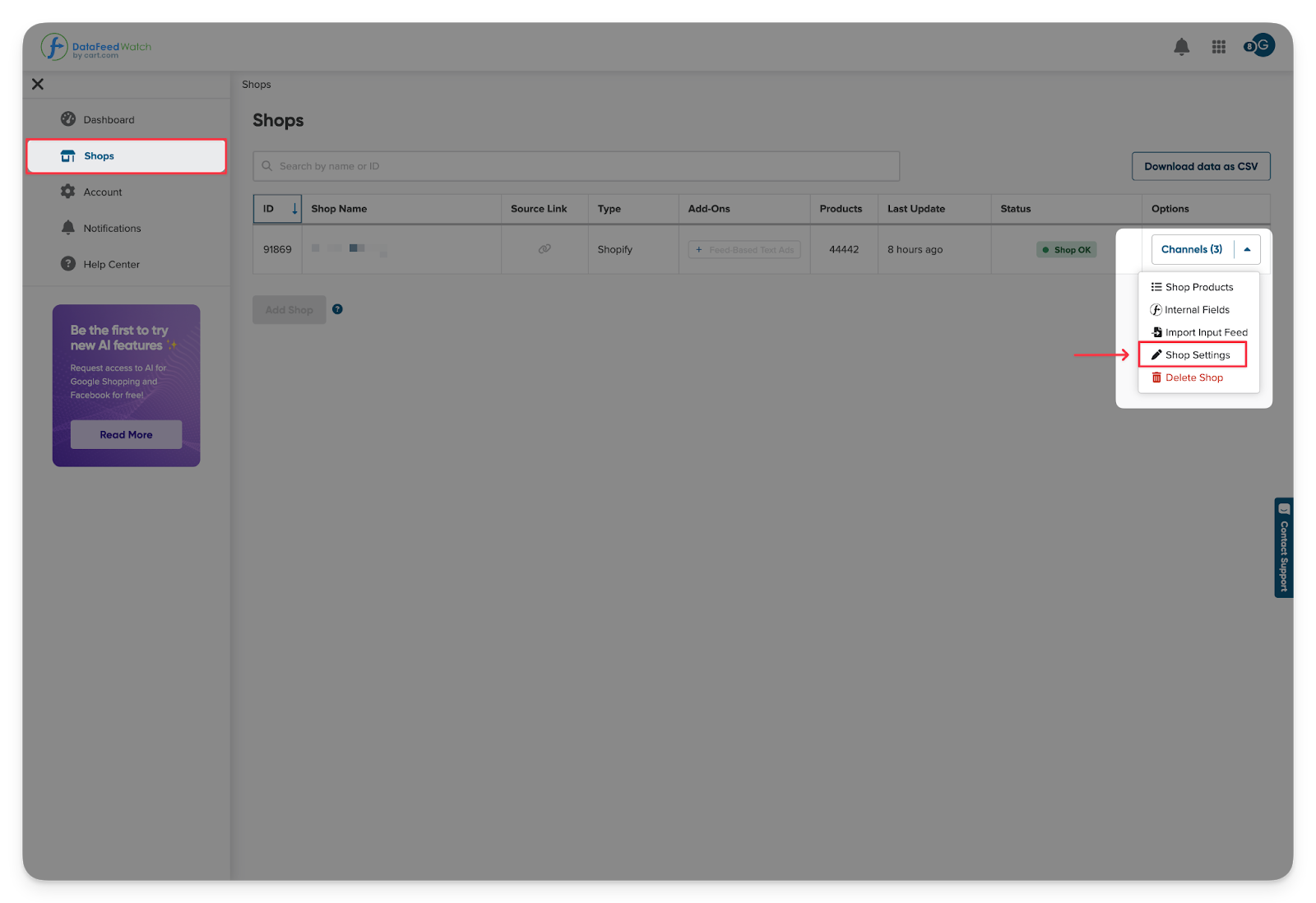 |
|---|---|---|
2 | Then, on the left-hand navigation, select Shop Transfer.
Follow the instruction on the screen and fill out the requested information with tech@calibrenine.com.au.
Note: For feed-based text ads users, please see this shop transfer help article for more info.
Once fulfilled, click Send a shop transfer request. | 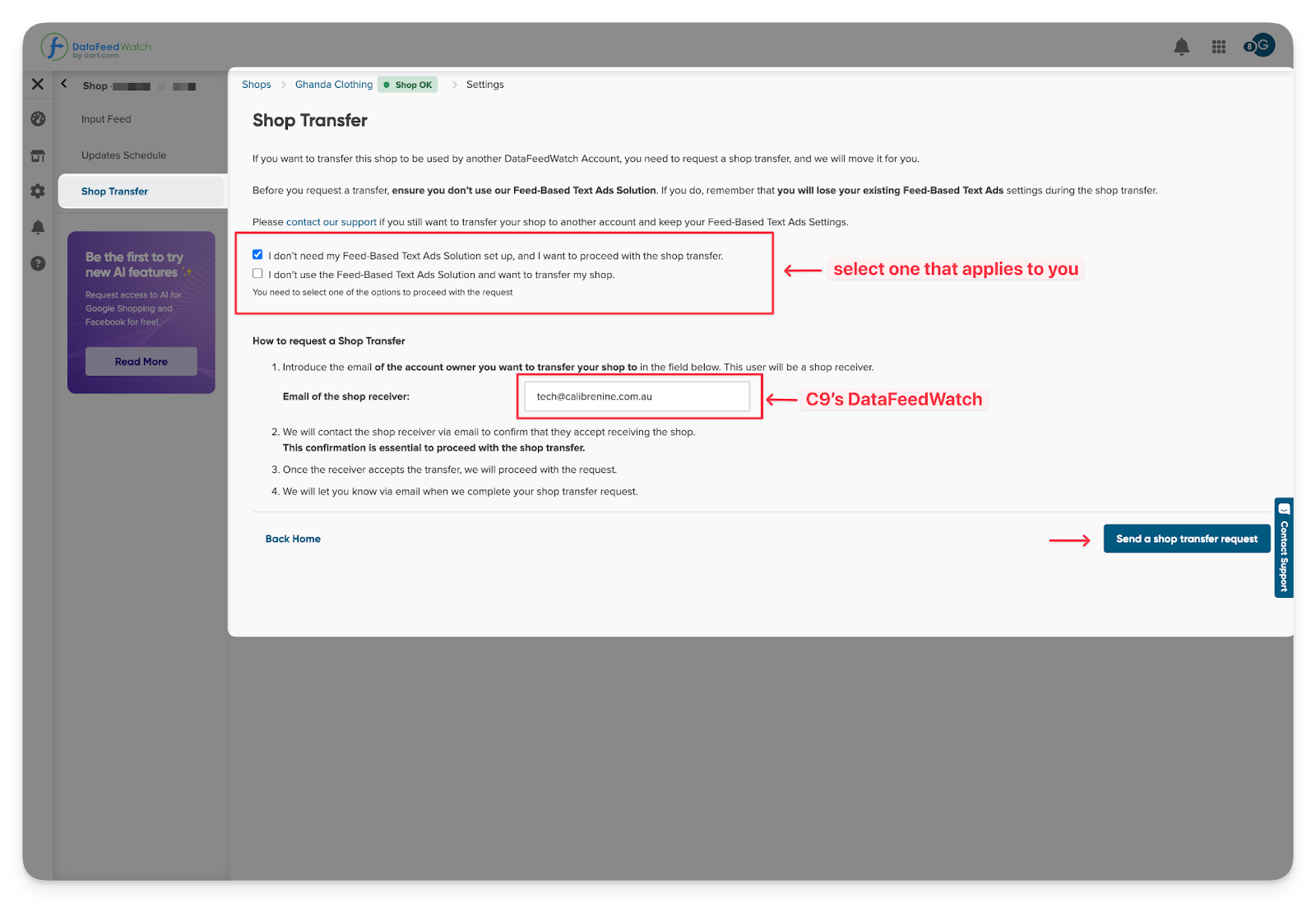 |
3 | Next, DataFeedWatch will email both sides (the current shop owner and the owner to whom you are transferring the shop) for confirmation. Once confirmed, they will transfer the store right away. | |
4 | All done! You have now successfully provided us with access to your DataFeedWatch shop and are ready for an SEO Organic Shopping campaign to begin. |
Categories:
GMC
Guides, SOPs & Policies (GMC)