Article
Source
Doc
| Category | Documentation |
|---|---|
| Type | Doc |
| Last Modified | 6 October 2025 |
| Location | Tools > Ahrefs |
Ahrefs Guide
From FAQ-Off, the Calibre9 knowledge base
| Introduction | |
This Guide | This guide is maintained by Lachlan Cowie. If you discover any errors, out-of-date information, or would like extra information added – please leave a comment or send me a message on Slack. |
Overview | This is a basic guide to the most useful features in Ahrefs. Ahrefs is the best tool that we have for investigating competitor sites, and also for looking at historical client data from before the beginning of the campaign. |
| Basics | |
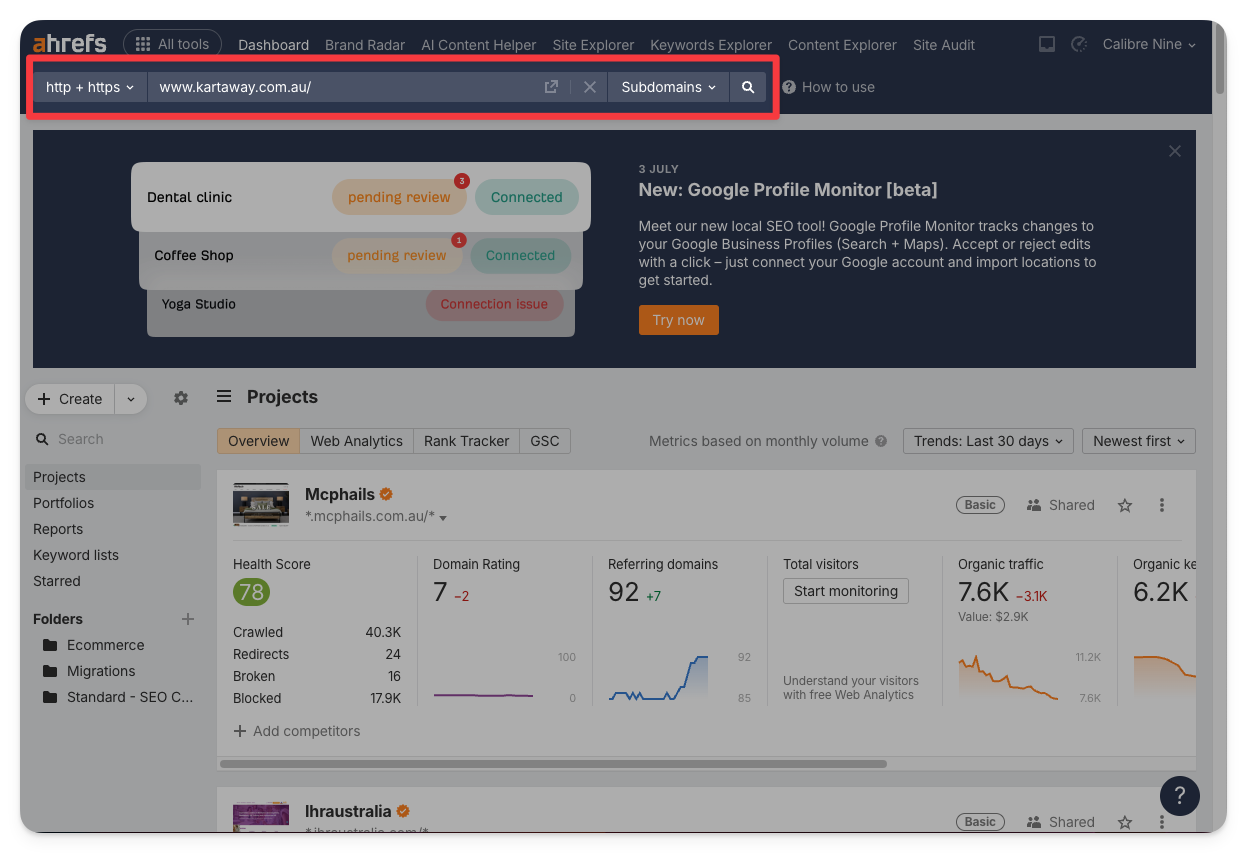
Adding a site to Ahrefs | To add a site to Ahrefs, first ensure that we have access to the Google Search console for that client. Then: → Go to the Ahrefs dashboard → Click on Create (Top left) → Choose Import from GSC (there is a limit on the number of sites that can be added manually, and we need to save those slots for competitors.) → Sign in to the calibrenine.webmaster@gmail.com account → Untick all of the websites (by clicking the tickbox next to Website at the top) → Tick only the website you want (you may need CMND + F to find it) → Click Import at the bottom of the page 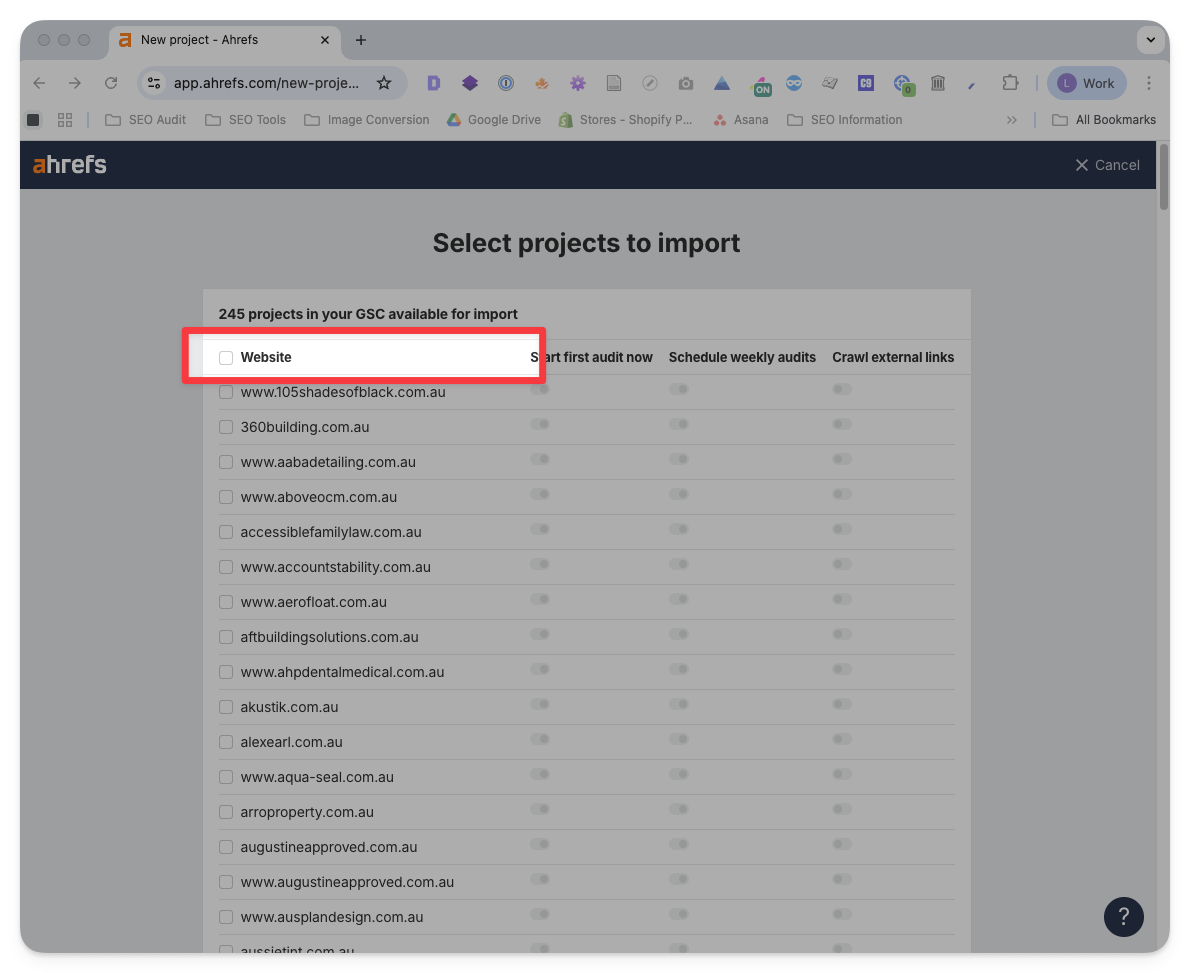 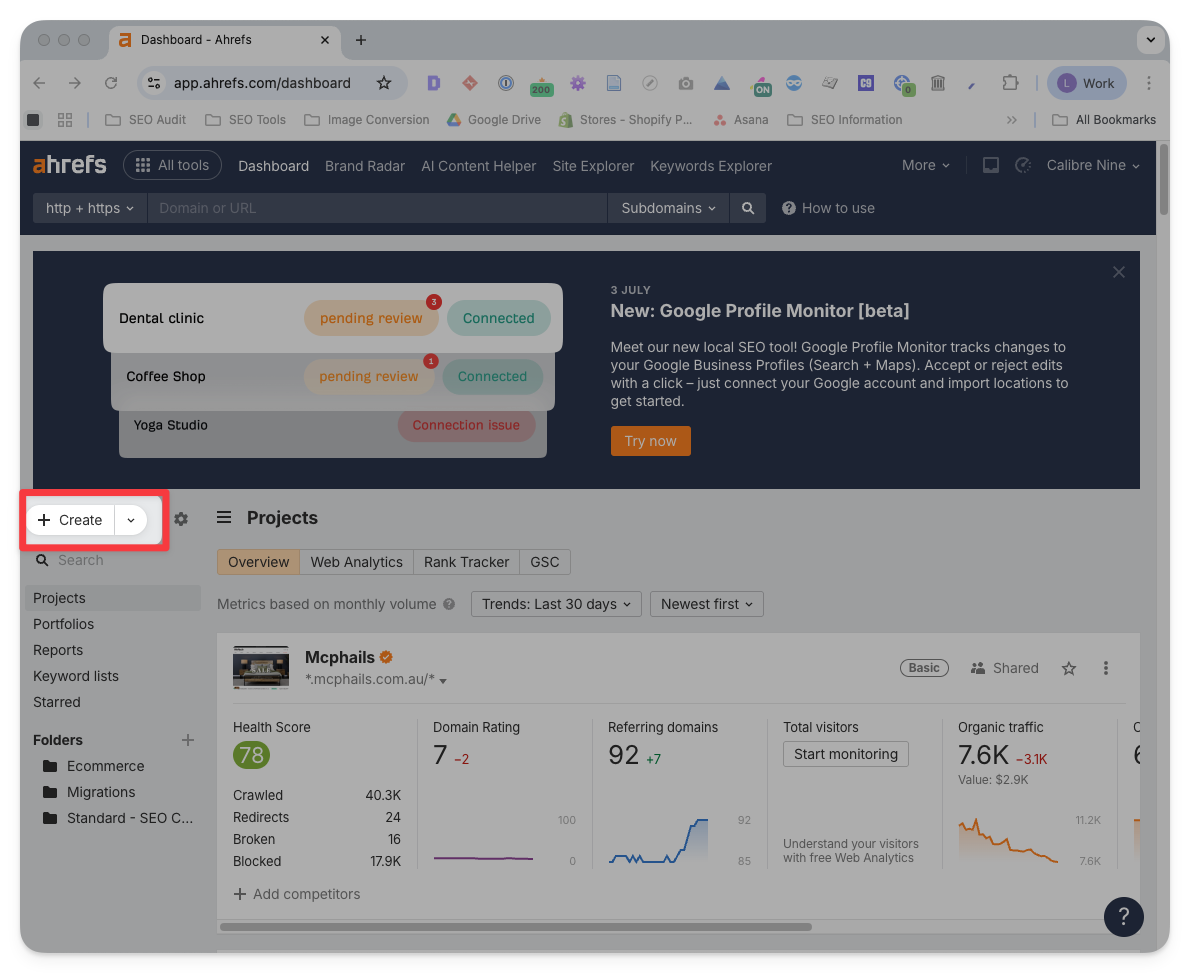 |
Ahrefs Site Audit | Once a site has been added to Ahrefs, they will periodically crawl the site and report on any technical issues. To access a site audit: → Go to the Ahrefs Dashboard (navigation bar) → Use the search bar on the left to find your website → Click on the Health Score 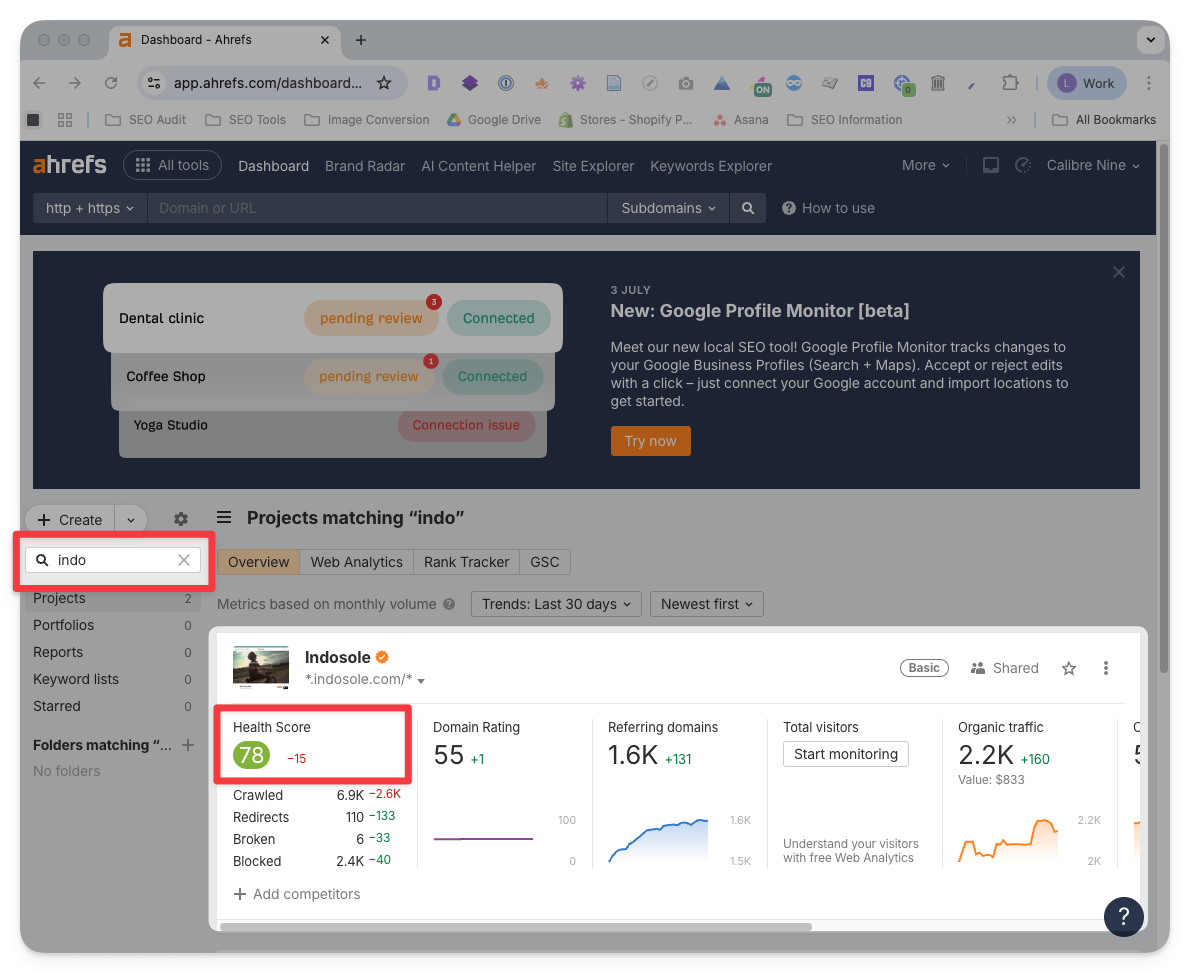 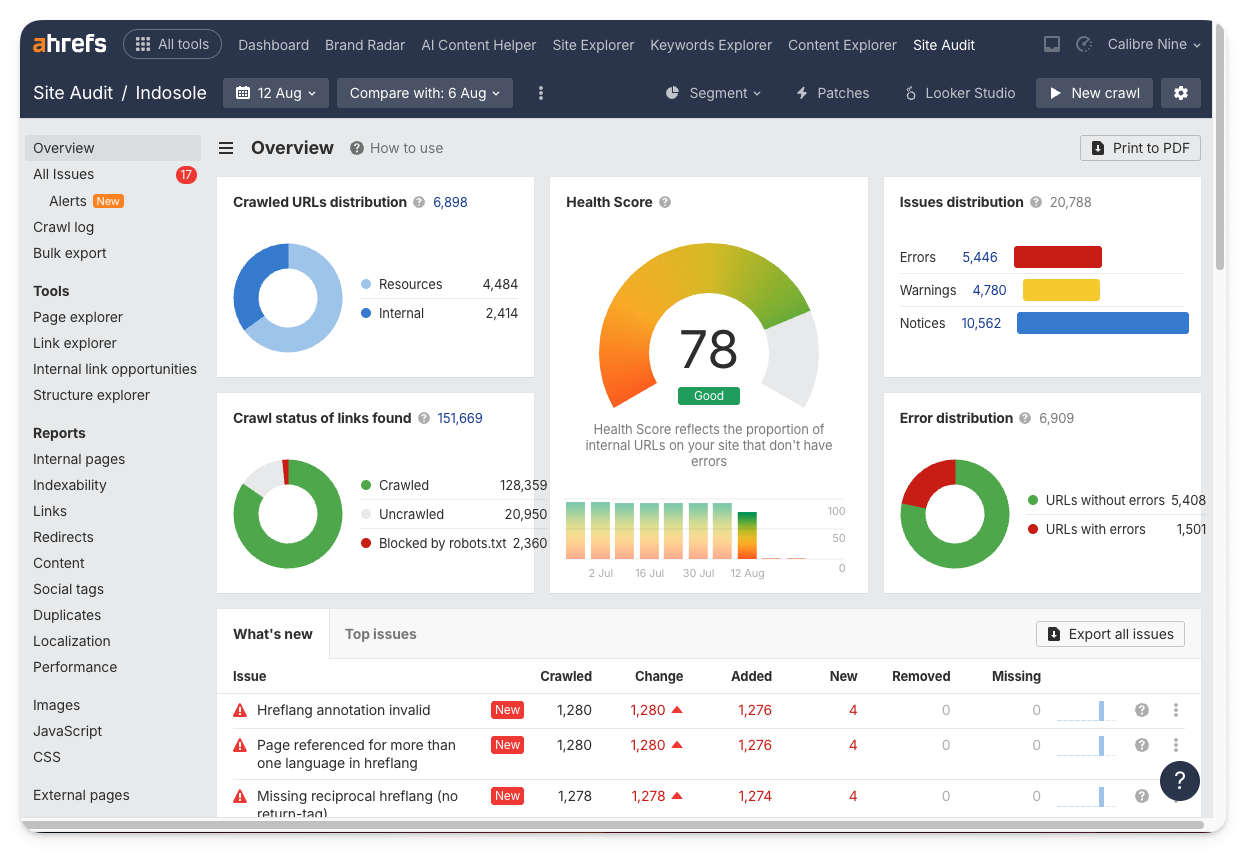 |
| Backlinks | |
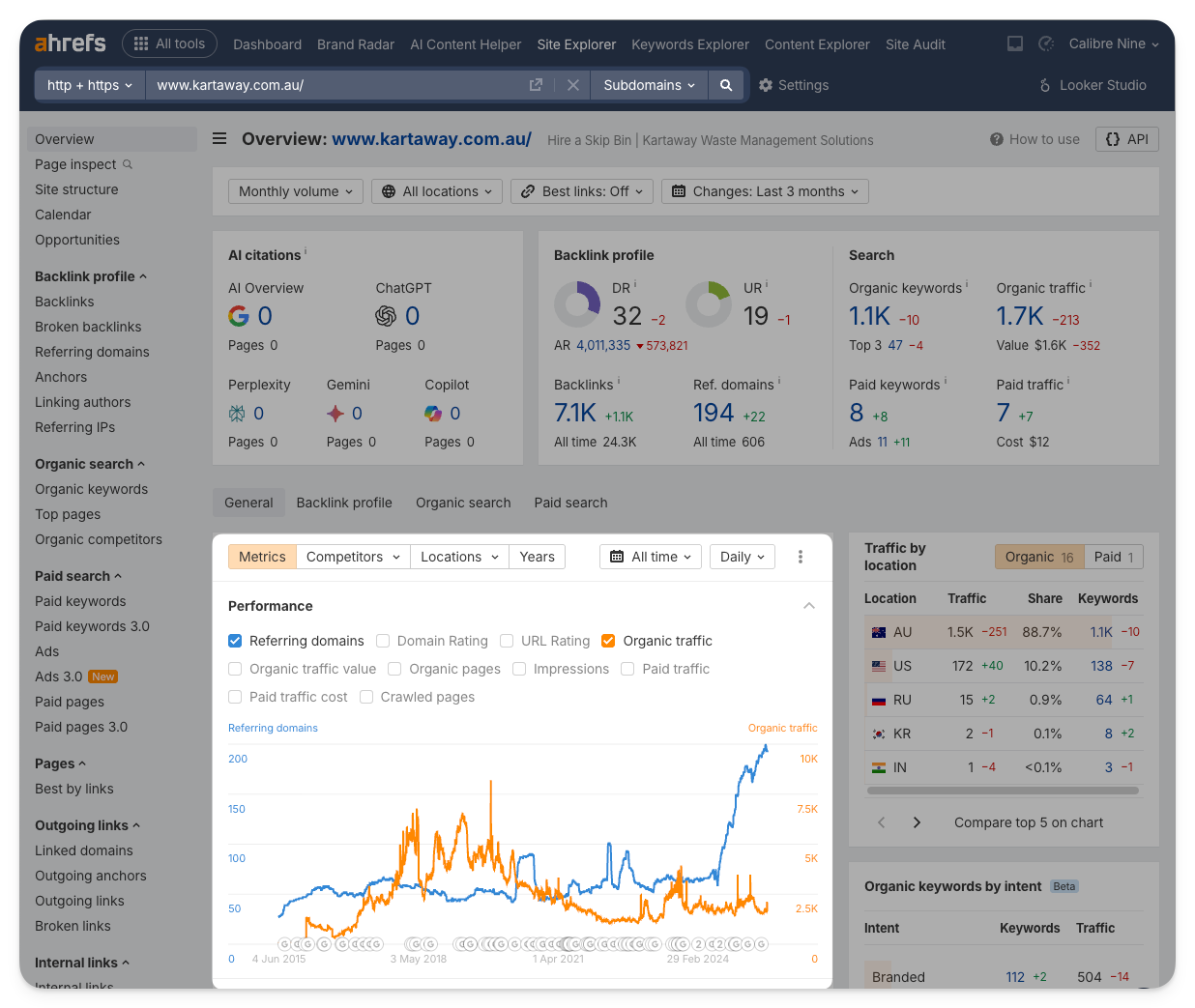
Overview | For backlinks, keywords and most other features outside of the site audit, you do not need to add the site to the dashboard. To investigate the backlinks on a site: → Paste the domain into the top search bar → On the overview page, untick all graph lines except for Referring domains and Organic traffic.
If the number of Referring domains has spiked suddenly (see example below), it is likely caused by backlink-building.
  |
Backlink Anchors | To further investigate possible backlink building: → Paste the domain into the top search bar → Click on Anchors (in the sidebar) → Observe the Anchor text. Anchors from normal, and natural backlinks will almost always be the site’s URL or the name of the business (branded). Anchors from paid backlinks will usually be non-branded (eg. “cafes in brisbane”, “best food brisbane”). Non-paid links:
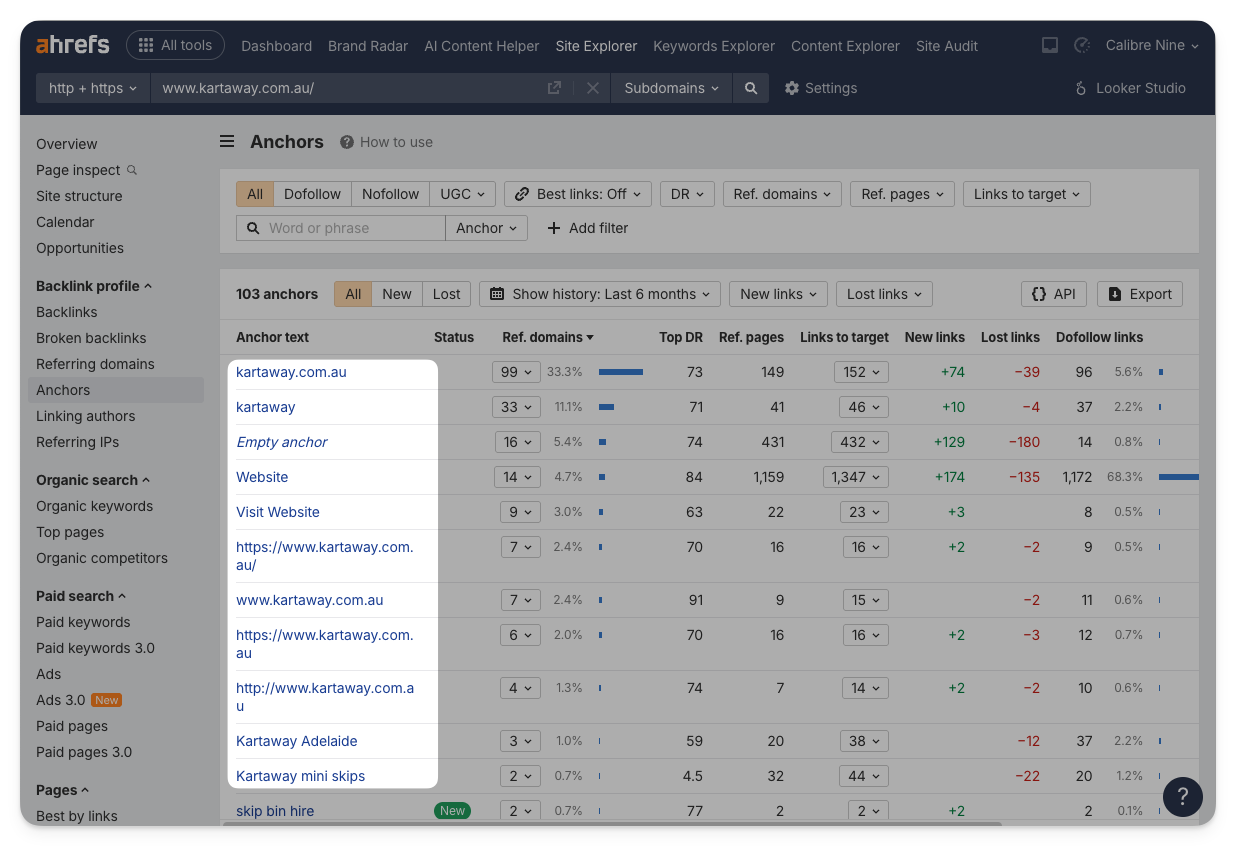 Paid links (backlinks): 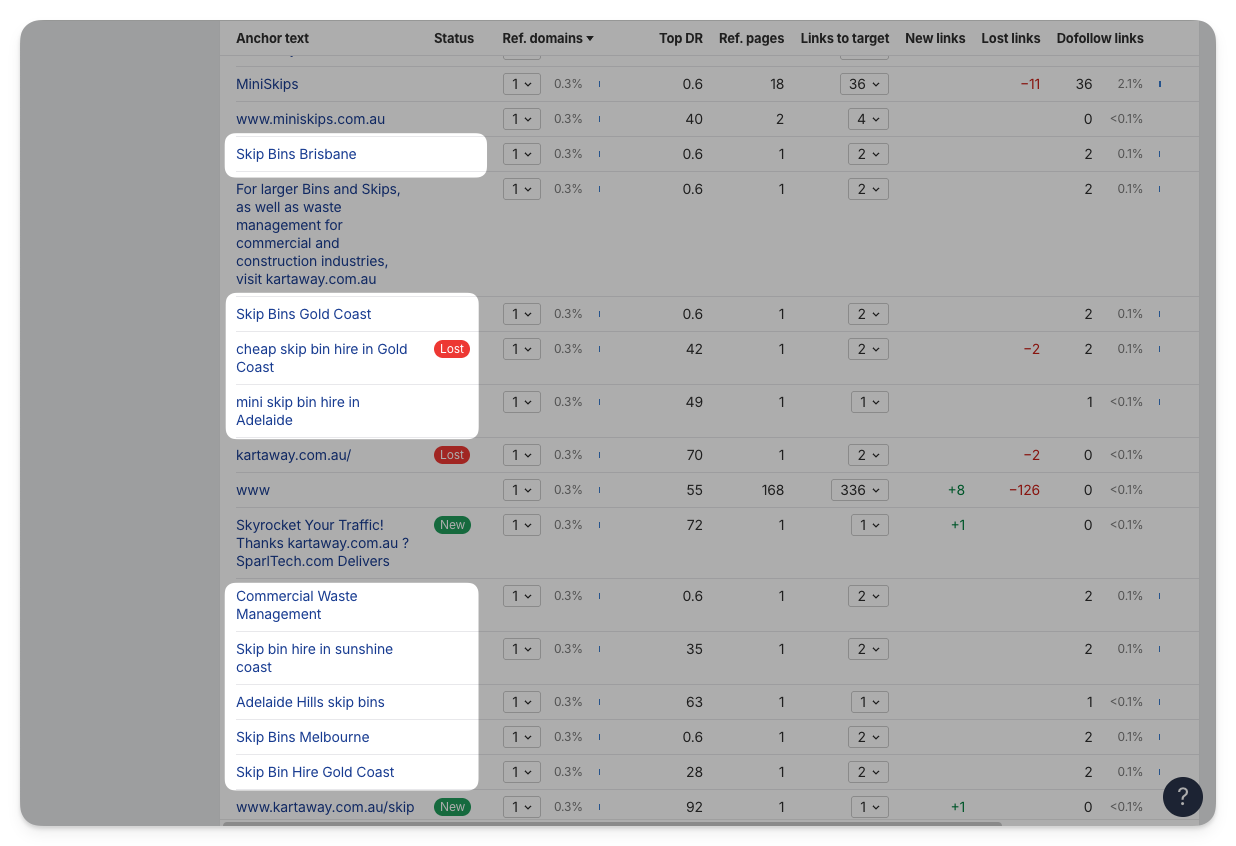 B2B Marketing Links (irrelevant):
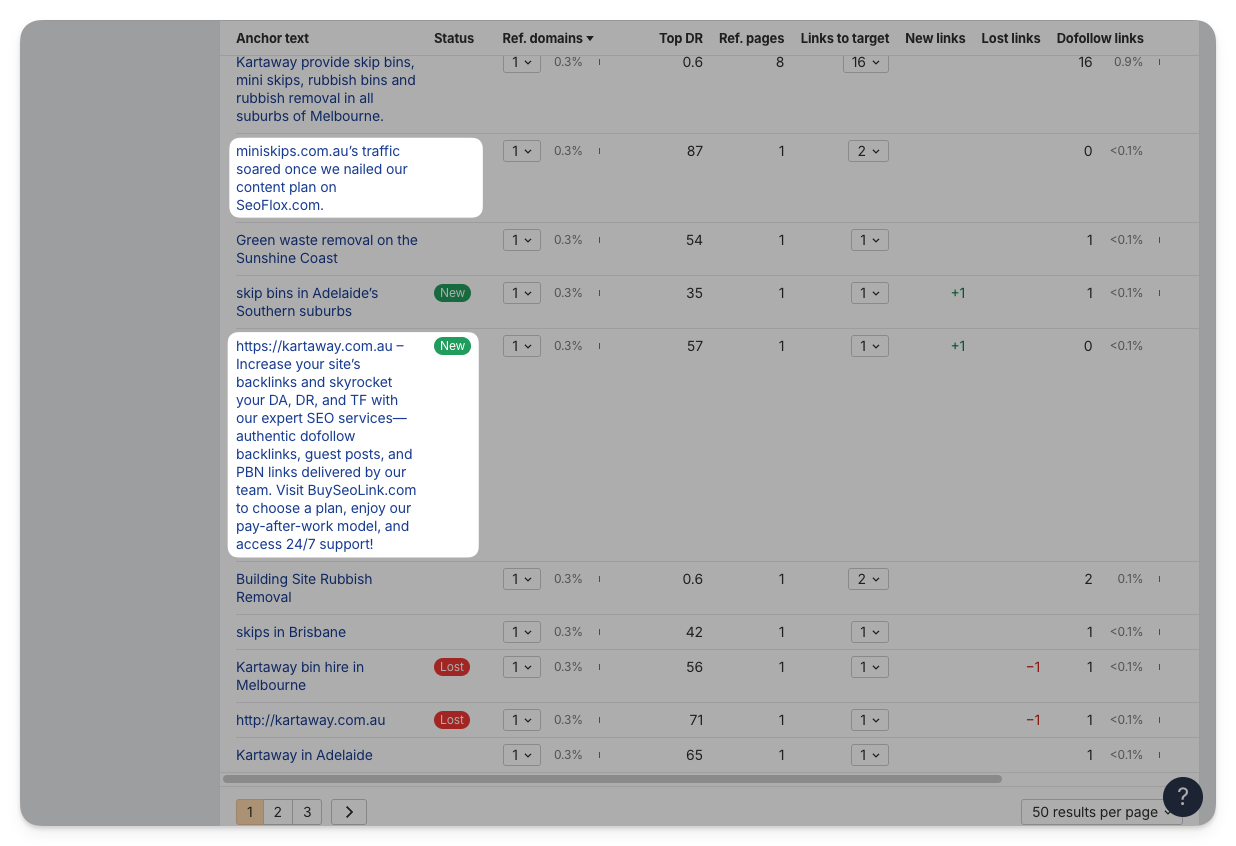
|
| Pages | |
Missing Pages | To find missing pages that haven’t been redirected: → Paste the domain into the top search bar → Click on Top Pages (in the sidebar) → Click twice on the first Change heading to sort by negative change in traffic → Find URLs that have been lost, hold CMND and click through them to open them all → Check to see if any are 404 and need to be redirected → Scroll up and change the date range then repeat the process. I recommend checking 1 month, 3 months and 6 months ago. 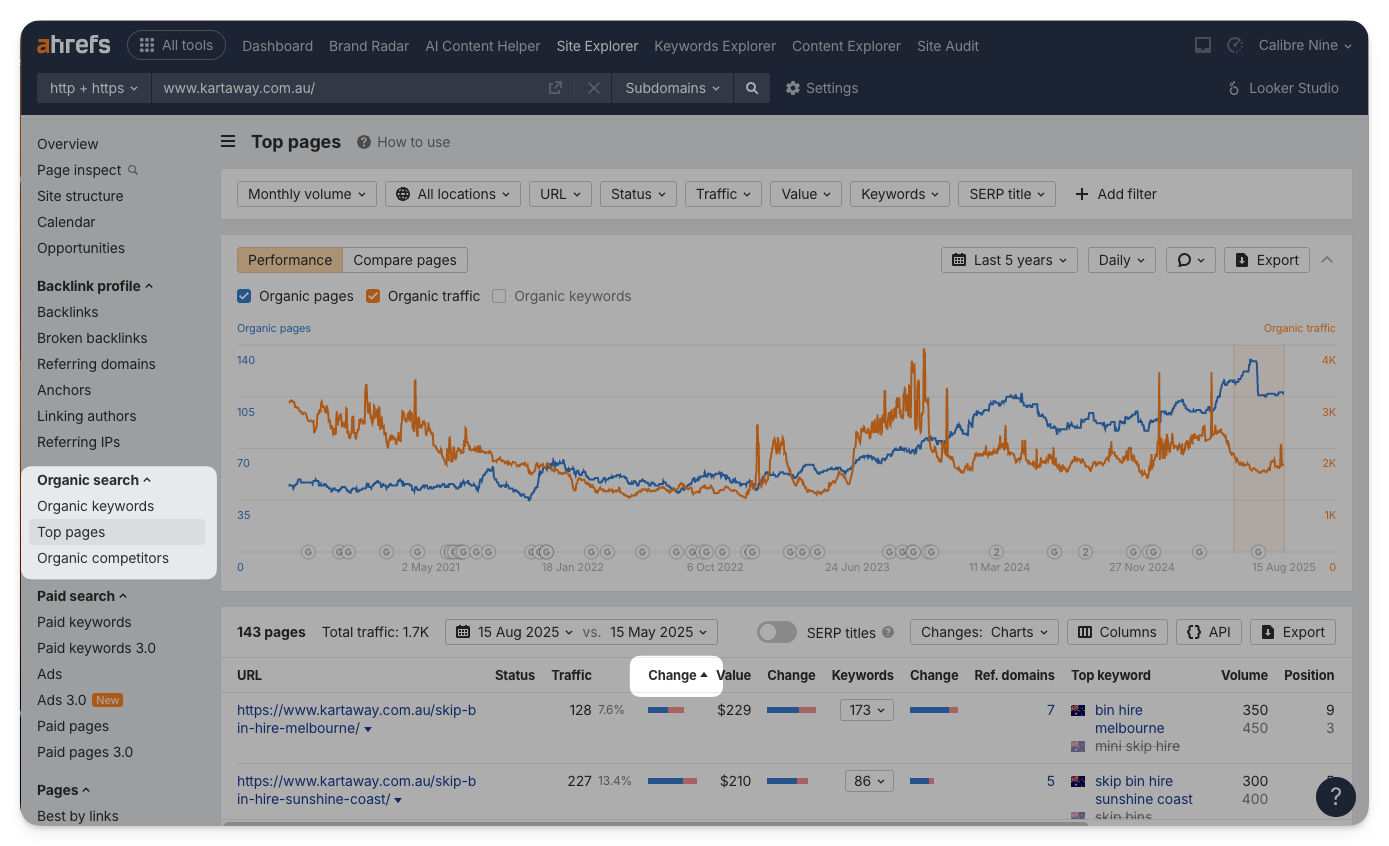 |
| Keywords | |
Competitor Keywords | → Paste the domain into the top search bar → Click on Organic competitors (sidebar) → Keep this window open, and in a new tab, open the All Tools then Competitive Analysis Tool (in the nav bar). → Paste your domain, and copy the top competitors from the Organic competitors report. → Click Show keyword opportunities 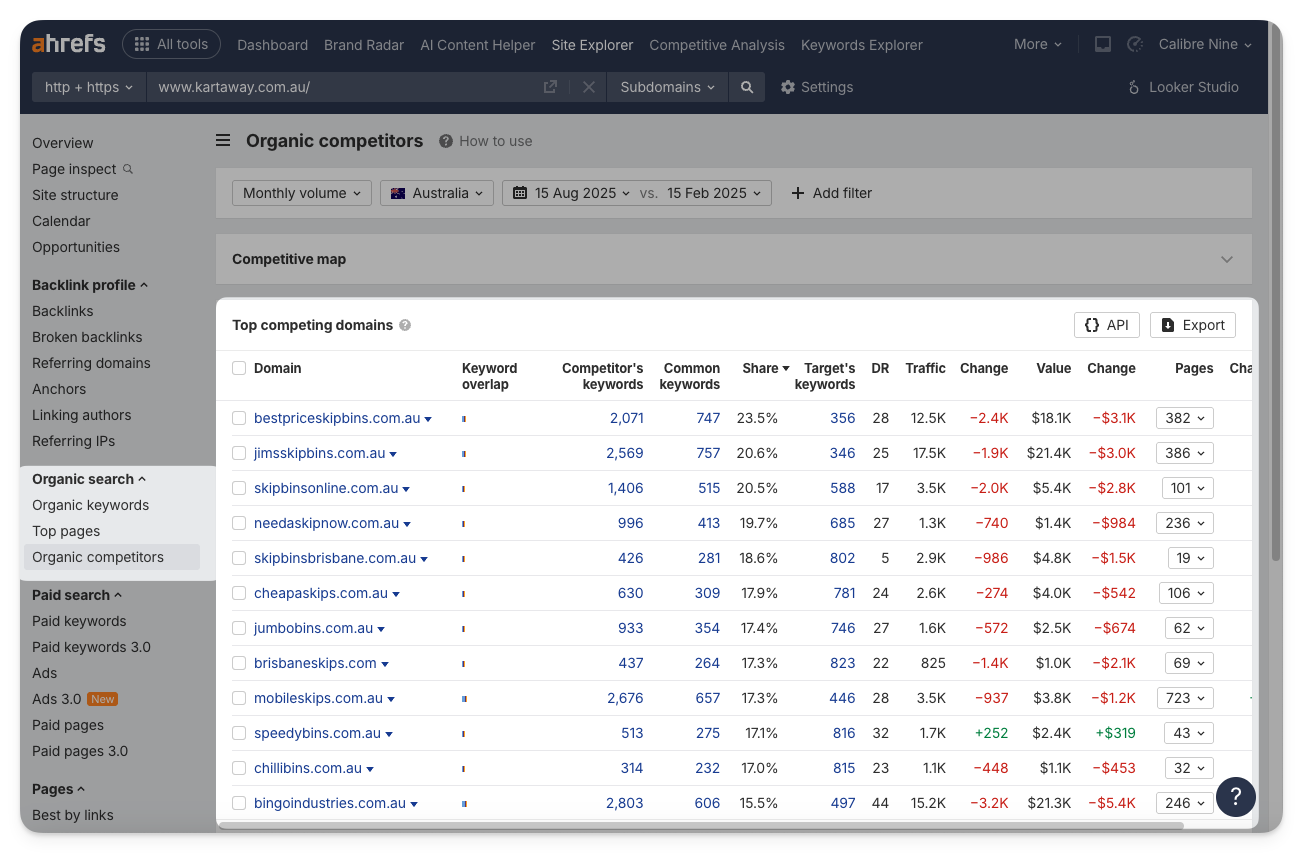 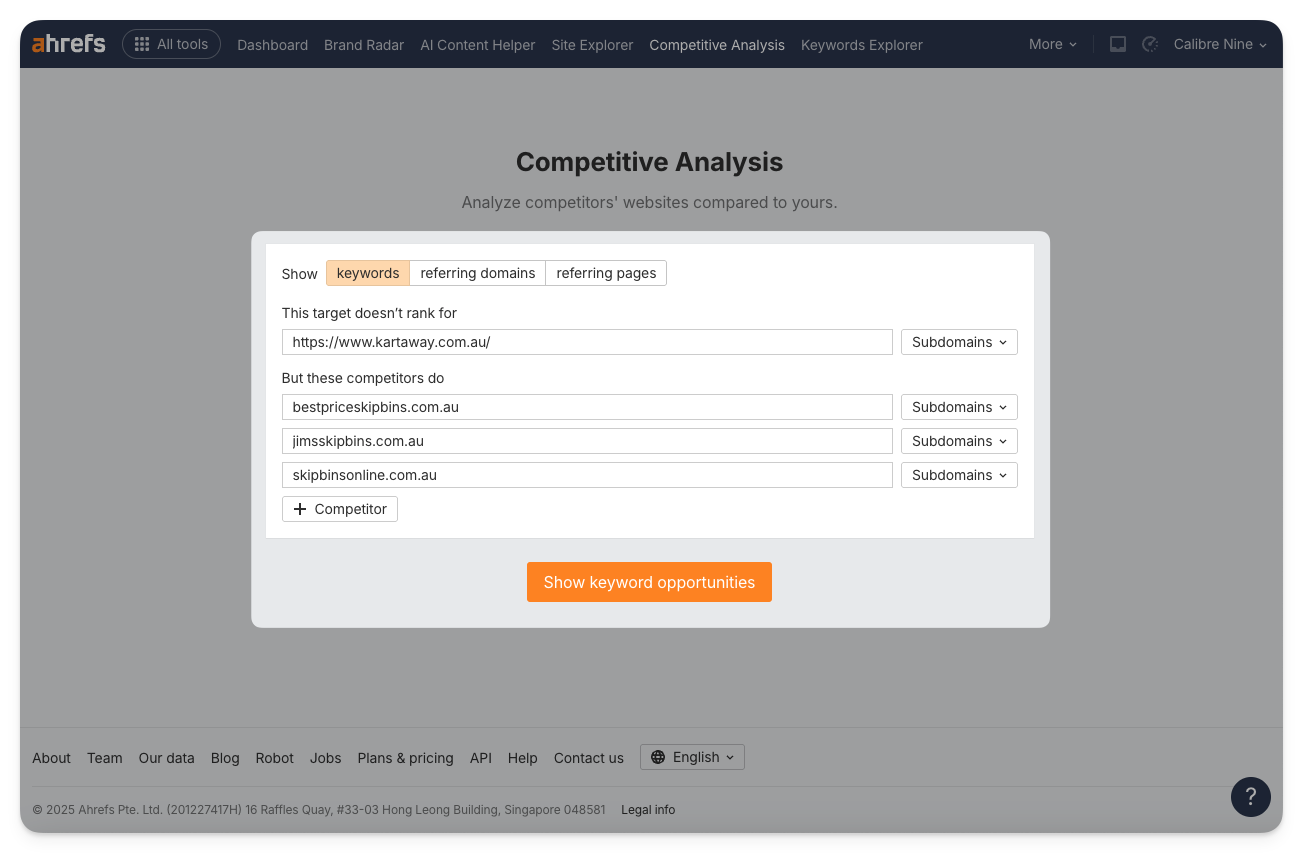  |
Categories:
Documentation
Tools