| Category | Documentation |
|---|---|
| Type | Doc |
| Last Modified | 11 November 2025 |
| Location | Processes > Research Tasks |
Market Analysis Process
Market Analysis
Purpose of the Market Analysis
The Market Analysis is designed to provide some more in-depth context over how a client’s website is performing organically in relation to the key competitors, and identify specific categories they are particularly strong or weak in. It should be noted that this research will not dive into specific tactics and strategies used by the competition at this stage.
When to Complete a Market Analysis
The Market Analysis should ideally be completed at the beginning of a campaign so that an initial benchmark performance can be captured before any changes in performance are seen as a result of works we complete on the site.
There is then the opportunity to complete an updated version further into the campaign which looks at current performance, but is also able to compare back to the initial benchmarks from the beginning of the campaign.
Requirements for Completing the Market Analysis
Before starting, there are two main things needed, which should ideally have client input.
The first is the list of categories to be looked at within the research piece. This should normally be around 4, but may be more for a higher spend client. For each of these categories, you should have a list of keywords which provides a good representation of the category. It does not have to include every relevant term but should include the highest priority and volume terms which will have a big impact on overall visibility.
You will also need priority competitors. The client may provide some, but these will be validated by performance as clients can often provide competitors who perform very poorly and including them will offer little value. AHrefs, allows for 10 competitors to be added, which will then be cut down after reviewing performance.
Uploading Keywords into AHrefs
Adding keywords into AHrefs will allow you to identify the key competitors to include within the analysis based on their performance.
Start by going to the project dashboard in AHrefs (or create one if there is not one in place)
Collecting Rankings from Value Serp
Adding keywords into AHrefs will allow you to identify the key competitors to include within the analyse.
Completing the Data Input Sheet
The majority of the data for the input sheet comes from AHrefs, with the exception of the ranking data which comes from Value Serp.
In terms of AHrefs data, you will need:
- Organic traffic by month (last 12 months) for client site and competitors. This will include a split of brand and generic traffic
- Referring domains
- Domain Rating
- Estimated traffic from info/blog content per site
- SOV by category (based on keywords input into AHrefs)
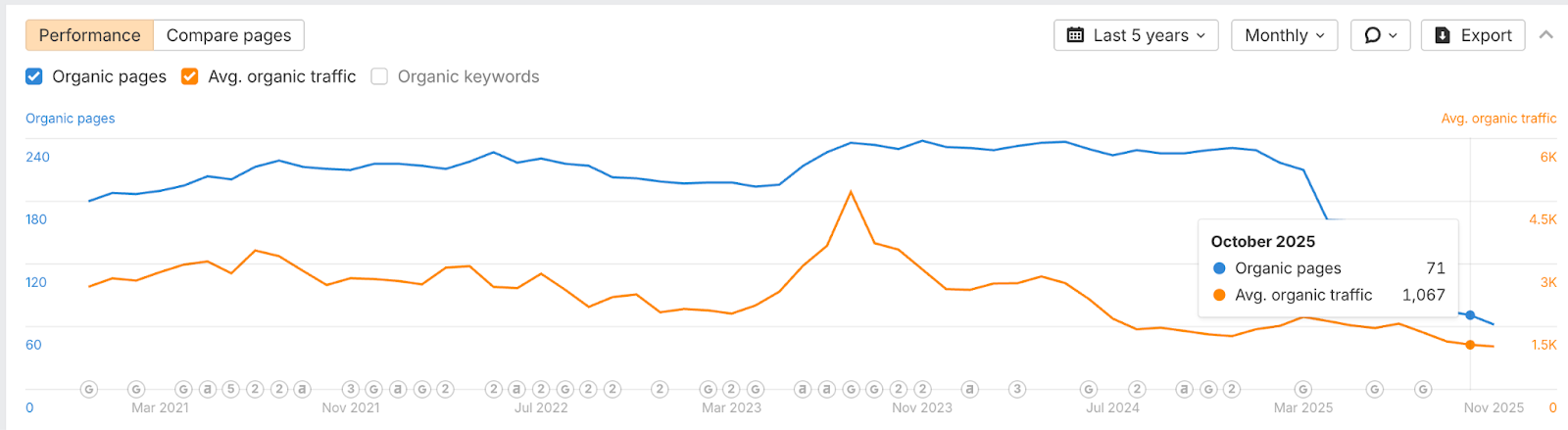
Start by just pasting the first domain into the AHrefs and updating the location to ‘Australia’
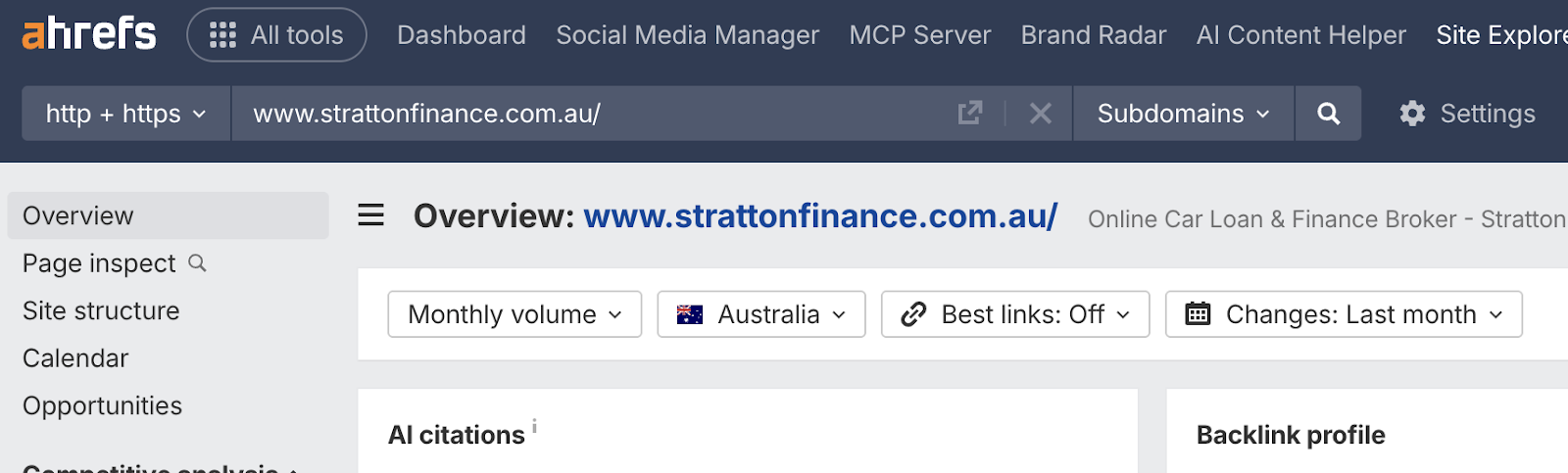
Next, scroll down to the first chart, and change select ‘Organic Search’. Ensure the data is set to ‘Last Year’ and ‘Monthly’. Export the data.
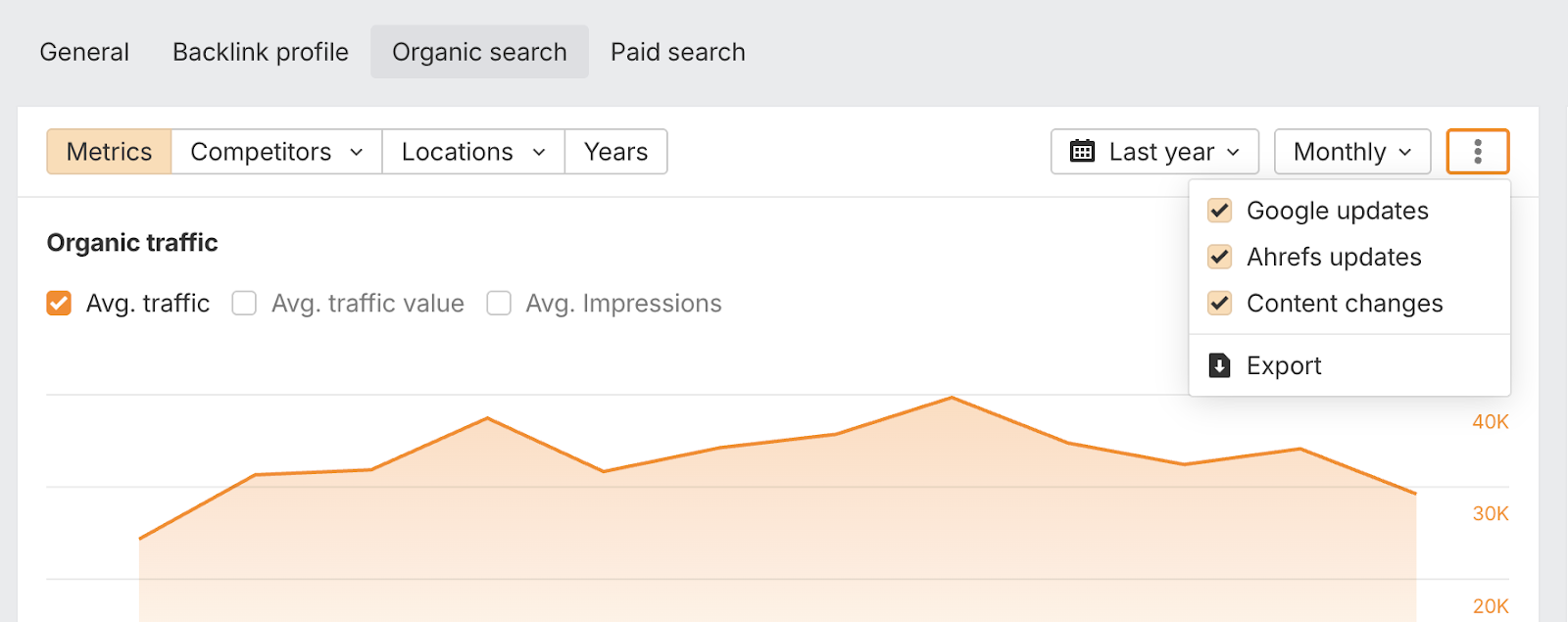
This export will give you a monthly breakdown of data over the last year. From this, we want the columns showing monthly brand traffic and generic (Non-Branded) traffic. This is normally columns V and W in the export.
In the Site Traffic tab in the data input sheet, scroll down to the yellow highlighted cells. Input the client name and the competitor names where labelled. Also add in the months (based on the first month of the export onwards).
Repeat this for the competitor websites until the table is complete.
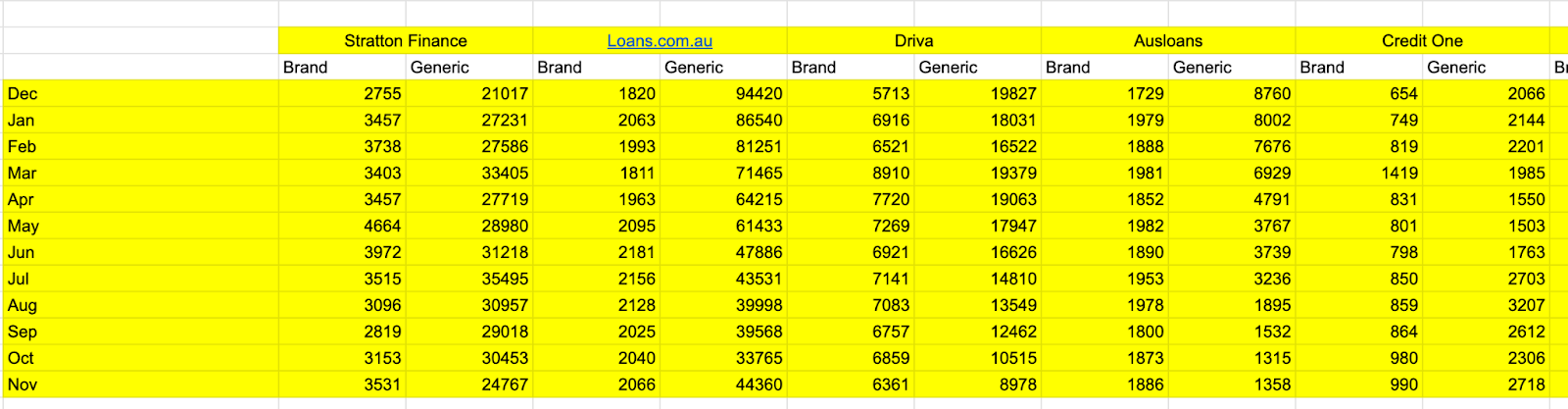
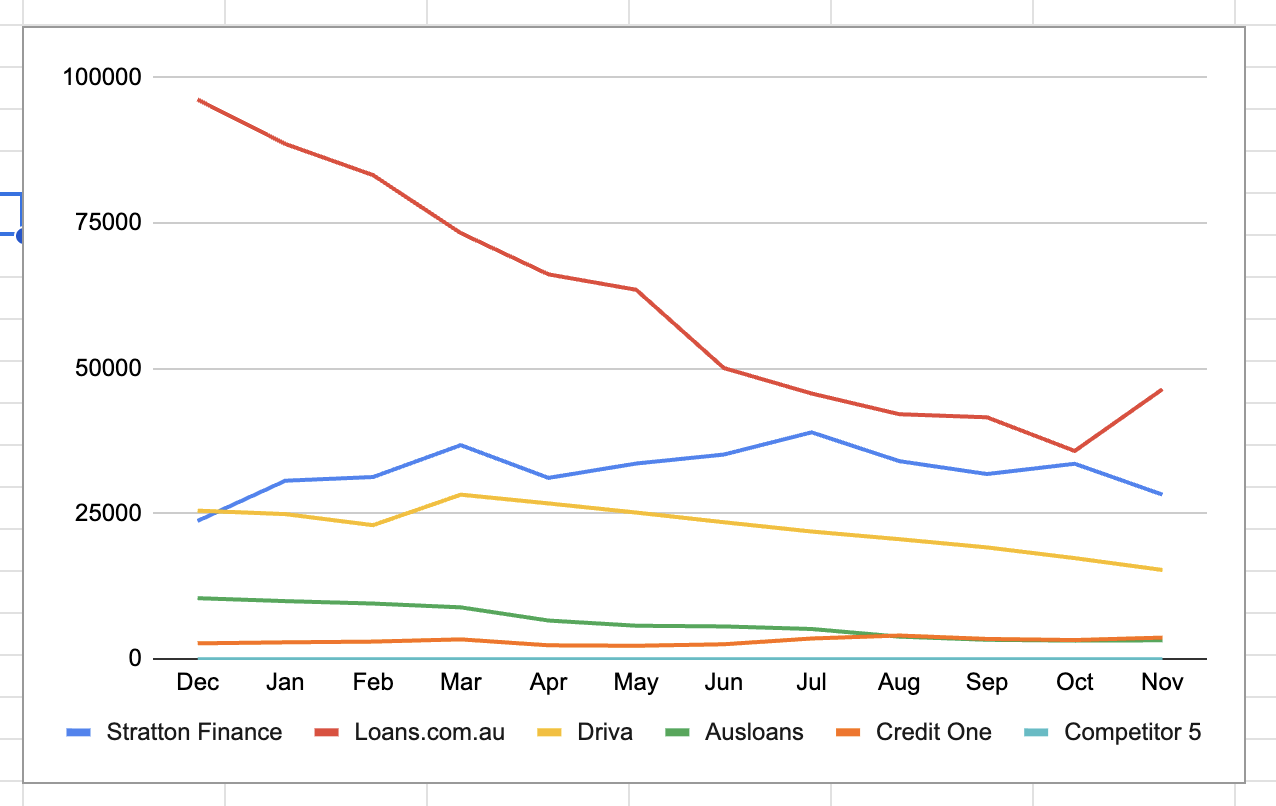
After completing the table, several charts should then be prefilled based on the data.
Overall site traffic will be a snapshot of the total traffic from brand and generic traffic in the last month of the data set.
As the tables are set to include data from 5 competitors, just delete the data in any unnecessary cells (e.g. if there are only 4 competitors, remove data for cells related to Competitor 5). This will update the relevant chart to remove this competitor.
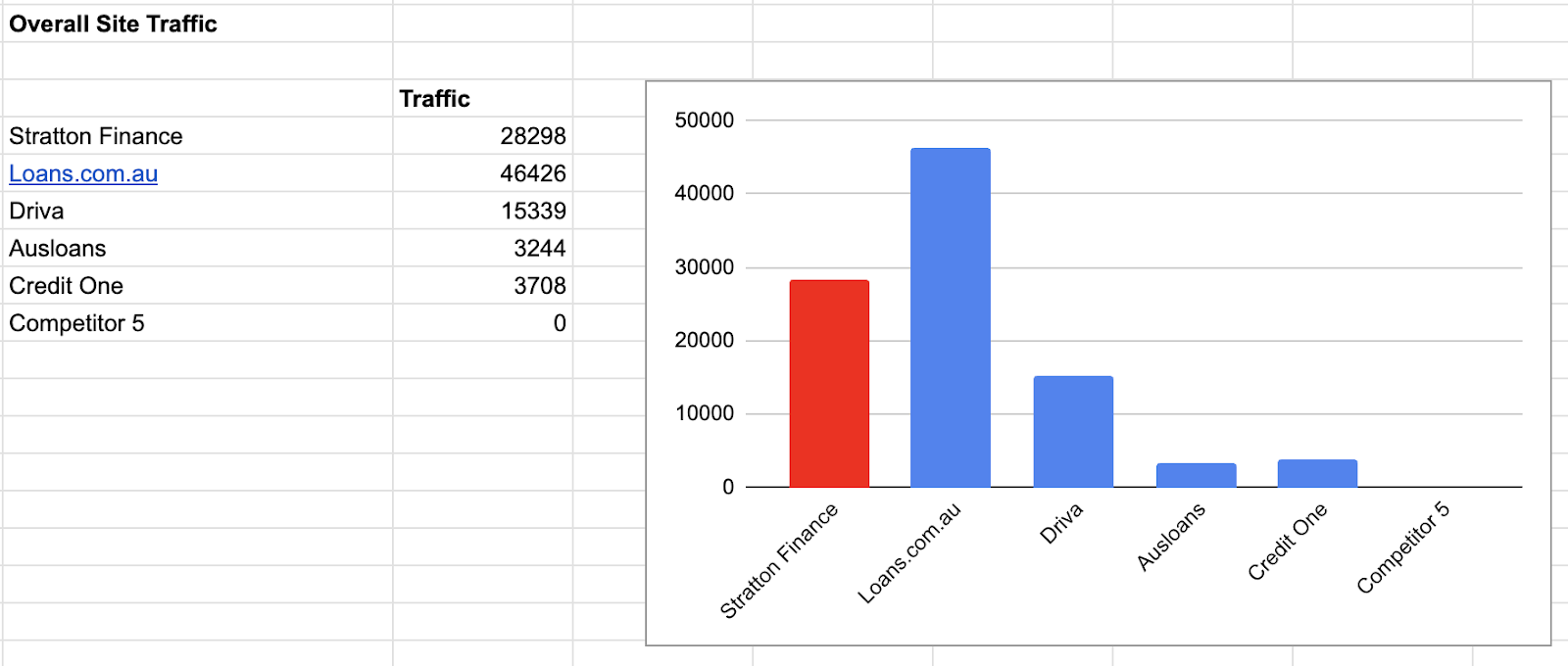
There will also be a chart showing the traffic trend over the last 12 months:
On the second tab (Brand&Generic), there are two charts filled out, one for brand traffic and one for generic traffic, again based on the last month of data in the data set.
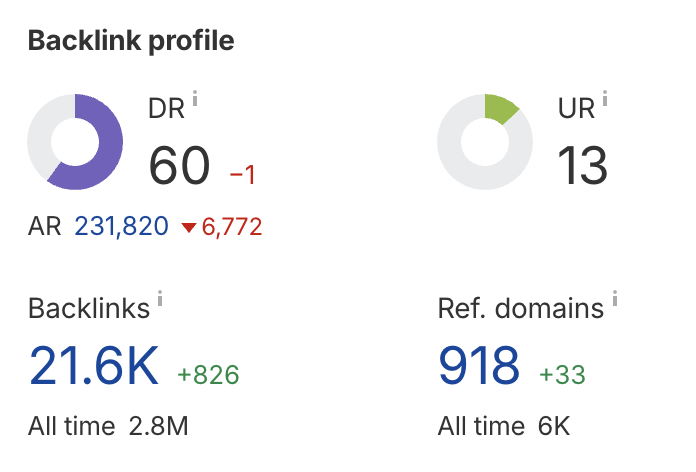
In the Domain Comparison tab, you will need to collect two bits of data for each site, the DR and the referring domains, both from the main overview tab in AHrefs. Filling out the highlighted cells will automatically build the relevant chart.
For the ‘Info Content’ tab, we want to collect the estimated organic traffic from the blog section of each website.
To do this, go to the Top Pages report in Ahrefs and change the chart to monthly.
If the site has a clean structure in place, you can then use the URL filter to pull in all of the blog content.
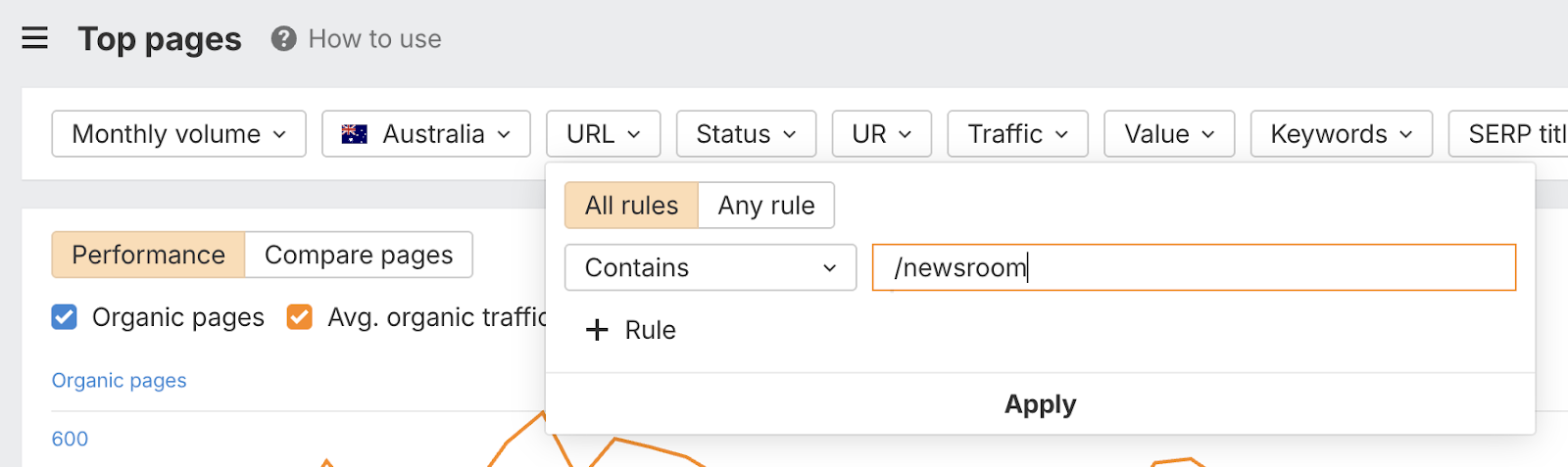
You can then copy the number of organic pages and the organic traffic from the last month into the data input sheet. Repeat for each website.